


The best business card alternatives in 2026 are QR code business cards, digital business card apps, NFC tap-to-share cards, LinkedIn QR codes, and Apple or Google Wallet passes. They share contact details instantly, update without reprints, and let you track who scanned. QR code business cards lead on cost and reach because every smartphone reads them natively.
Why Paper Business Cards Stopped Working in 2026
Paper cards still exist, but the math behind them has fallen apart. I work in growth marketing at Popupsmart, and over the last three years I've watched our sales team trade stacks of paper cards for QR codes, vCards, and wallet passes. Their follow-up rate roughly doubled. That's not a story, that's our HubSpot data.
The numbers behind the shift are uncomfortable for the print industry. According to Lynkle research, roughly 100 billion paper business cards are printed worldwide each year, and the majority end up in landfill within a few weeks. A separate CreditDonkey survey cited by Lynkle found that 63% of recipients throw a paper card away because they don't need the service, and only 13% save every card they receive.
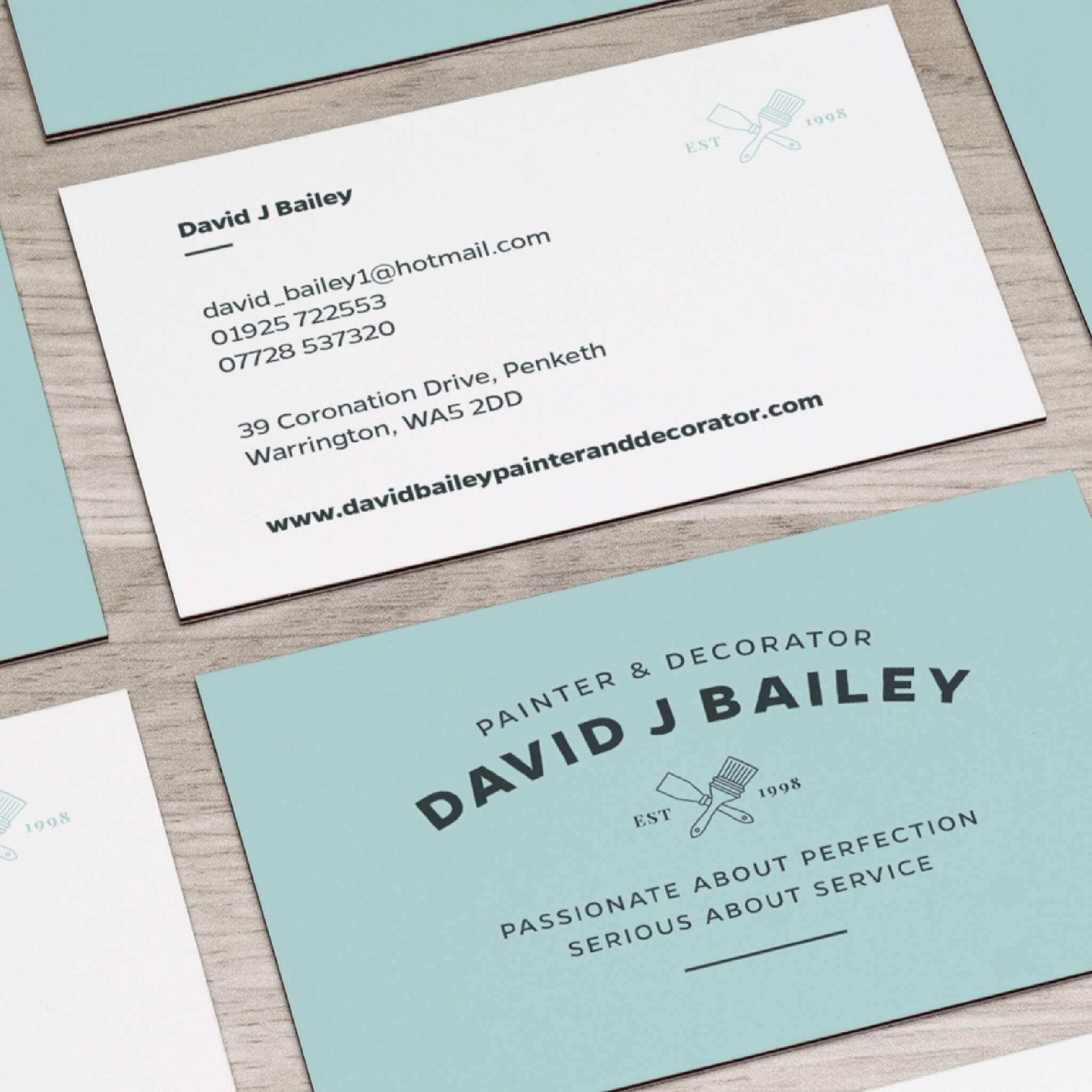
Adoption isn't uniform either. According to Research Nester, over 50% of tech companies have shifted to digital business cards, while uptake in conventional industries such as manufacturing remains below 20%. If you work in SaaS, fintech, or any tech-adjacent vertical, your peers expect a digital handover. Walking into that room with a paper card now reads the same way walking in with a flip phone would.
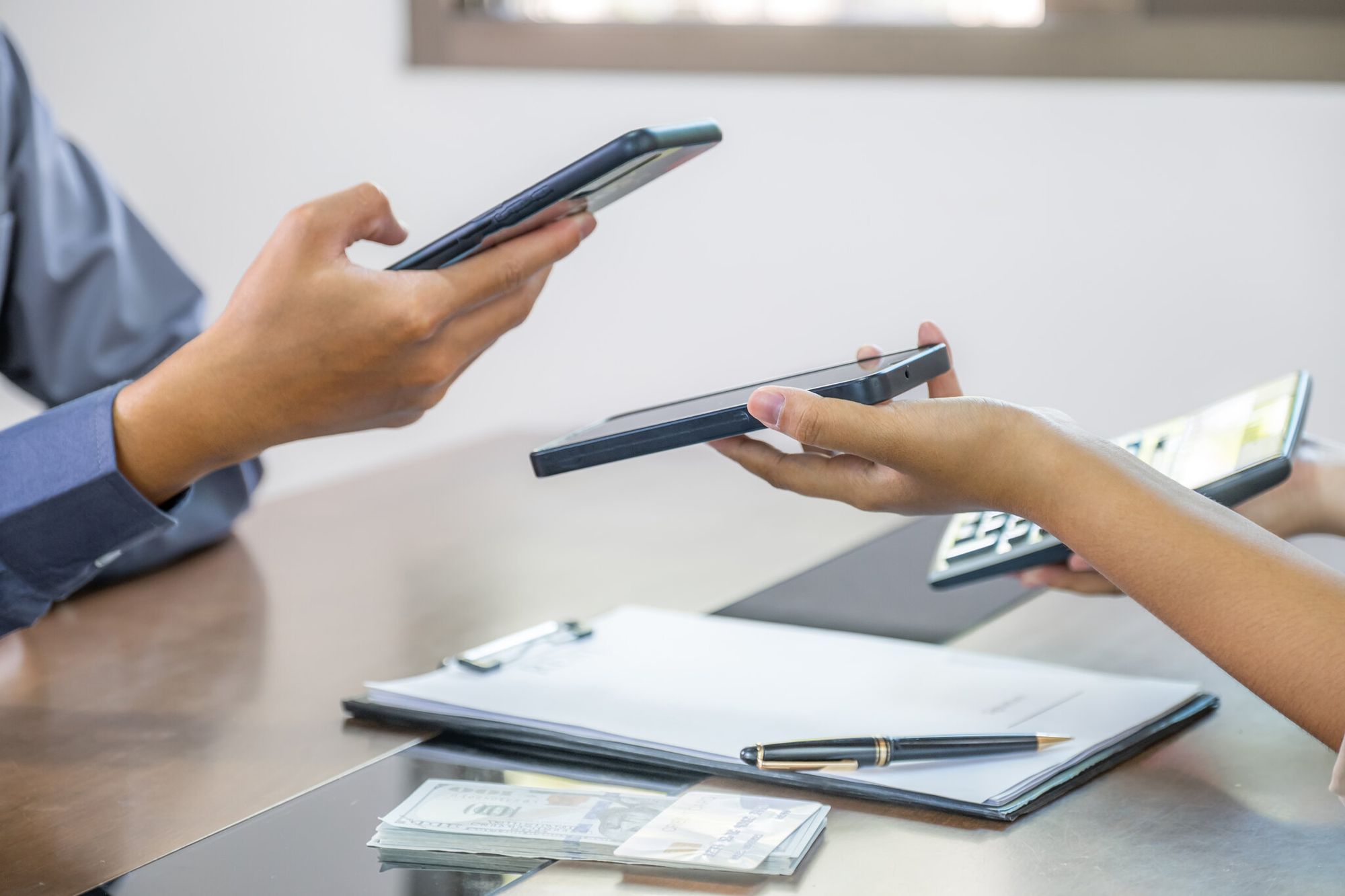
The behavior shift was already happening before COVID, then accelerated. Industry research from Digital Business Card shows that before the pandemic, only 16% of professionals used digital cards in 2020, while 61% relied on physical cards. By 2024, digital card usage had grown to 37%. The same research recorded a 70% jump in digital business card adoption during the COVID-19 pandemic itself.
Add three practical problems on top of the waste and the adoption curve:
• Reprints cost money for one typo. A title change, a new phone number, or a moved office means another print run.
• You can't track a paper card. Once it leaves your hand, you have no idea if anyone scanned it, called you, or filed it in a desk drawer.
• The 3.5 x 2 inch footprint forces you to cut your story to a phone number. No portfolio link, no Calendly, no LinkedIn.
Top Business Card Alternatives at a Glance
Here's the full comparison before we go deep on each one. Use this to scan for the alternative that matches your situation, then read the deep-dive for the two or three that look right.
| Alternative | Best For | Typical Cost | Cool Factor | Trackable? |
|---|---|---|---|---|
| QR code business cards | Anyone — universal reach, every phone scans natively | $0–$15/month | High (custom design + logo in code) | Yes (dynamic QR) |
| Digital business card apps (vCard) | Sales reps, account executives | $5–$15/month per user | Medium | Yes |
| NFC tap-to-share cards | In-person sales, conference circuits | $15–$40 one-time | Very high (the tap reaction) | Yes |
| LinkedIn QR code | B2B networking, recruiters | Free | Medium | Limited (profile views) |
| Apple/Google Wallet passes | Recurring contacts, event hosts | Free–$5/month | High (lives in the wallet) | Yes (with Wallet analytics) |
| Video intro / Loom links | Remote-first founders, agencies | $0–$15/month | High | Yes (view analytics) |
| Rich email signatures | Anyone who emails daily | Free | Low | Limited (UTM links) |
| Branded merchandise (USB, mints, stickers) | Trade shows, swag-heavy brands | $1–$8 per piece | Medium | No (unless paired with QR) |
| Edible business cards | Hospitality, food brands, viral moments | $3–$10 per piece | Very high | No |
| Smart card holders / NFC keychains | Power networkers, recurring events | $25–$60 one-time | High | Yes |
| Wearables / QR lanyards | Conferences, expos, staff at events | $2–$10 per badge | Medium | Yes (QR-based) |
| Event lead capture tools | Booth-running marketing teams | $50–$300/month | Medium | Yes (full CRM sync) |
Quick verdict: If you need one alternative that works for the widest audience, pick a QR code business card. If you network in person at high-touch events, add an NFC card. If your work is remote-first, layer a video intro link on top of either.
1. QR Code Business Cards — The Universal Default
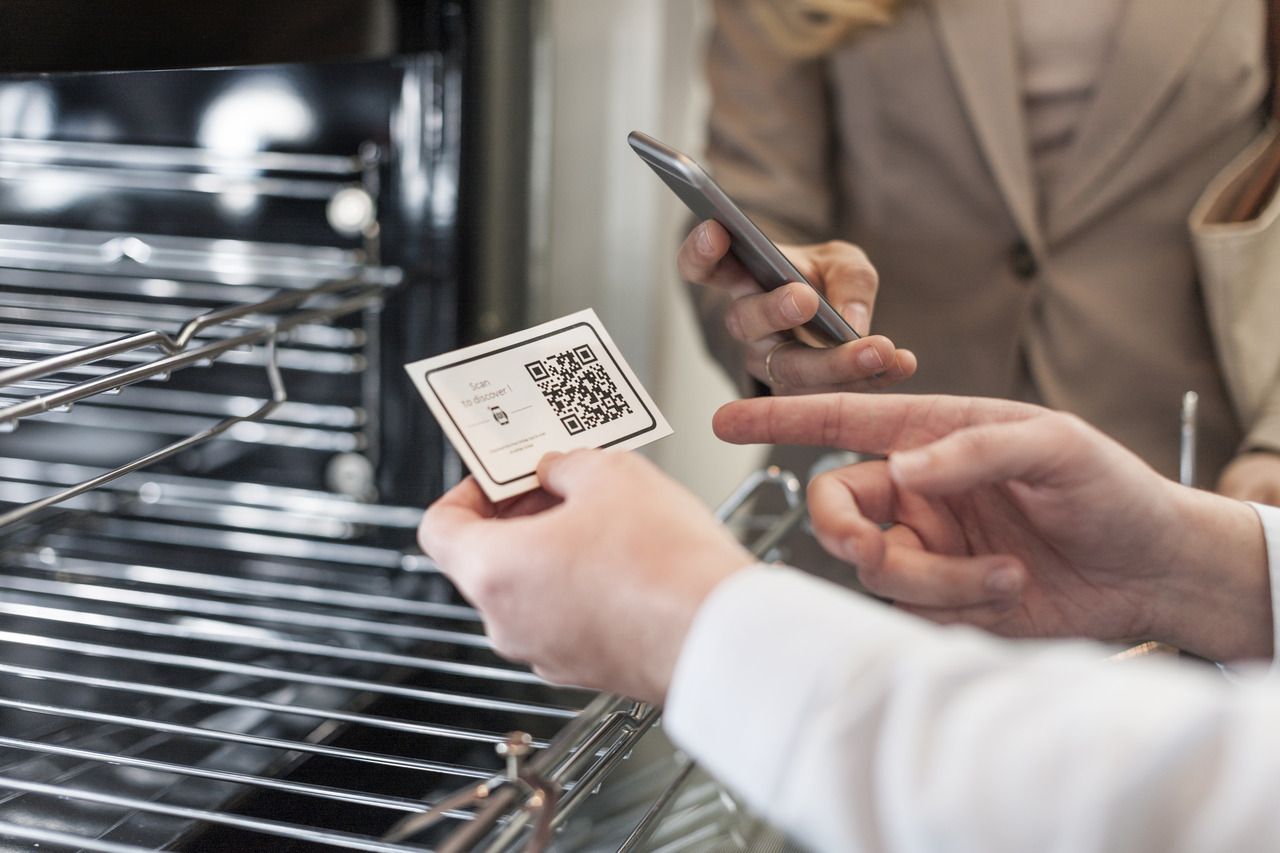
A QR code business card encodes your contact details (or a vCard, or a landing page) inside a square pattern of black-and-white squares. Anyone with a smartphone camera scans it, taps the notification, and saves your details. No app, no NFC chip, no friction.
I've used QR code cards at every event I've worked since 2022. The conversion is brutal compared to paper: a printed card depends on someone fishing it out of a drawer two weeks later. A scan is instant — they're already on my landing page while we're shaking hands.
What makes it work: dynamic QR codes. A static QR code is locked the day you print it. A dynamic QR code keeps the same scannable image but lets you change the destination URL whenever you want. New job, new number, new portfolio link — same card. QR Code Dynamic generates dynamic QR codes with scan analytics, so you can see where, when, and how many people scanned the code. That changes the conversation with your sales manager from "I gave out 200 cards" to "47 of them scanned, 12 booked a call."
Best for: Anyone. The universality is the whole point — there's no app to install on the other end.
Pros:
• Works on any iOS or Android phone with a camera, no app required.
• Cheap (free for static, ~$5–$15/month for dynamic with analytics).
• Can sit on top of paper, screens, lanyards, T-shirts, anything that holds ink.
• Lets you change destination, design, and branding without reprinting.
Cons:
• A static QR code is permanent — print a typo and you're stuck.
• The aesthetic can feel utilitarian unless you customize the design.
Real-world fit: One of our agency clients (a B2B procurement consultancy) replaced their paper cards entirely with a QR code printed on the back of every laptop. Walked into a meeting, flipped the laptop, scanned. Their meeting-to-proposal rate climbed because the prospect already had the proposal deck open before the coffee arrived.
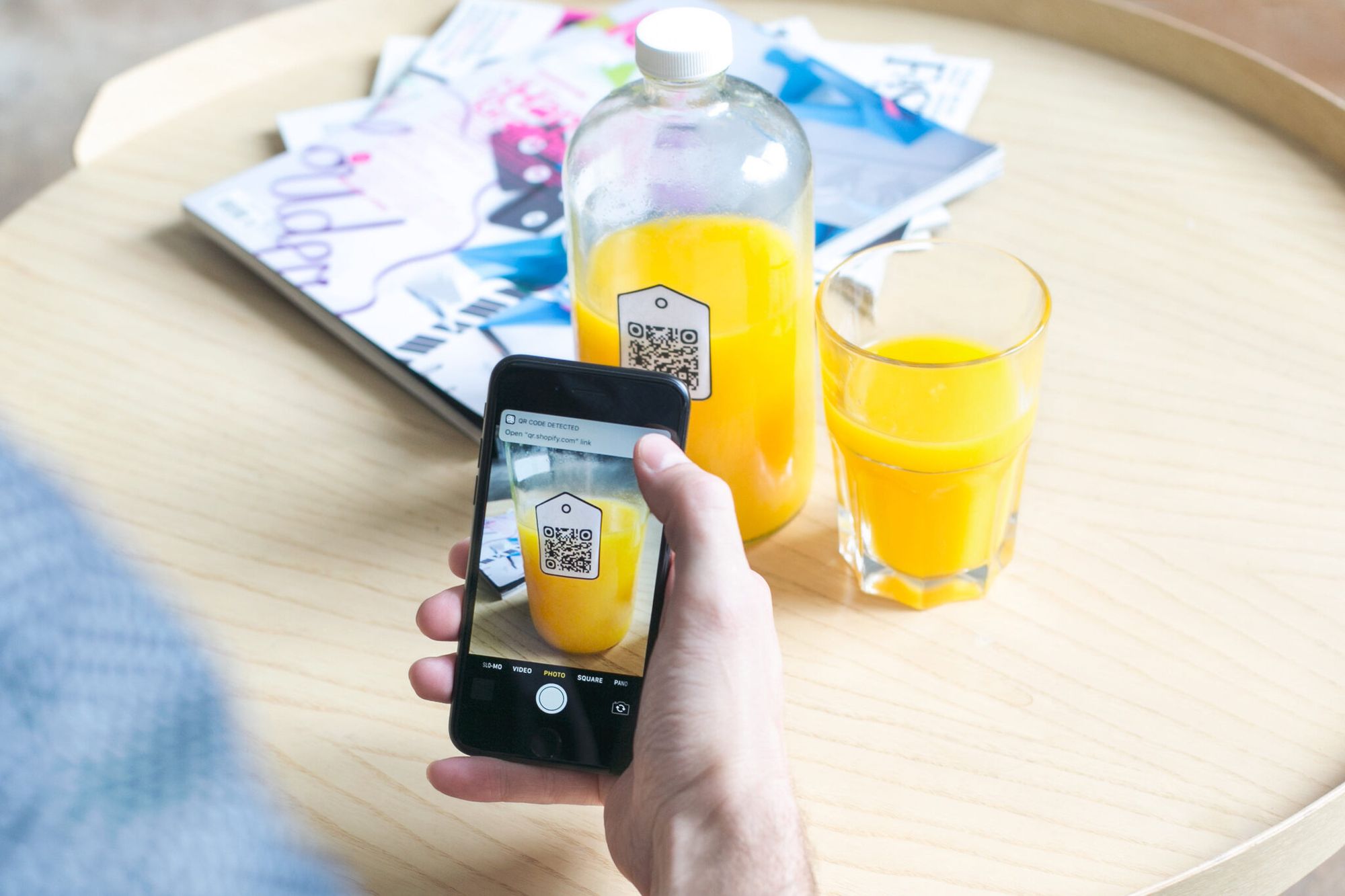
The same approach works on any flat surface that travels with you. I've seen realtors put a QR code on the side of their open-house signs and on the back of their iPad case — the iPad they already carry to every showing. Open-house attendees scan, get the full listing on their phone, and the realtor never has to print another card. We dug into that workflow in our breakdown of the best digital business card for realtors.
If you want a head-start on layout, our QR code business card templates cover the formats that actually print clean.
2. Digital Business Card Apps (vCard Profiles)
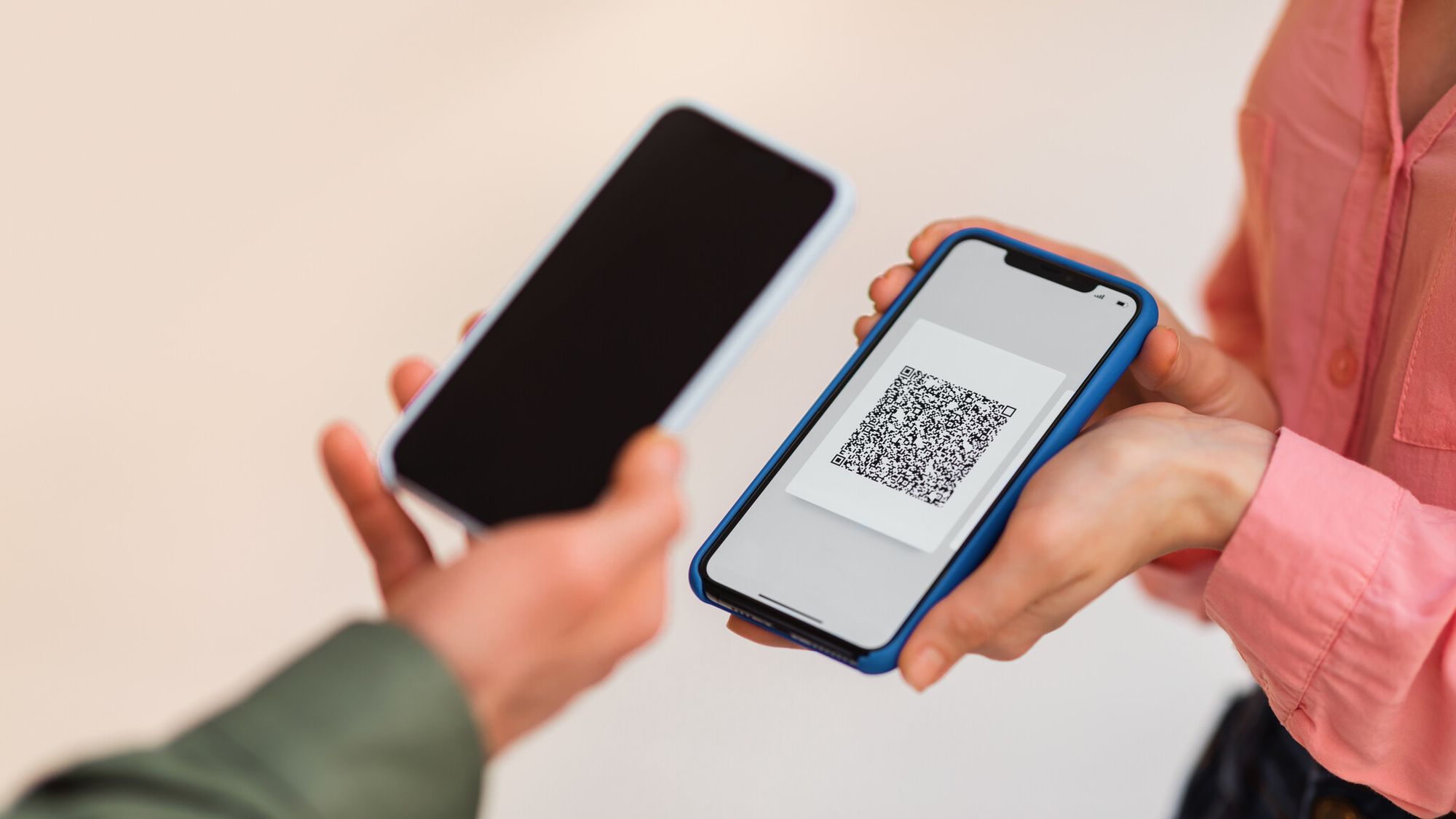
Digital business card apps build you a hosted profile — a mini personal landing page with your photo, title, social links, calendar booking, and a "save to contacts" button. You share it via QR code, link, email, or NFC.
The big players in this space are Blinq, Popl, HiHello, Linq, and Mobilo. I'm not linking to any of them because they're adjacent vendors, but they're easy to find. Each works on roughly the same model: $5–$15 per user per month, with a free tier that limits branding.
What it is: A vCard-style profile page that lives on the vendor's domain (or yours, on paid plans). The recipient saves your contact in two taps.
Best for: Sales reps and account executives whose company already pays for a SaaS sales stack. Many of these apps integrate with HubSpot, Salesforce, and Outreach, so a scan auto-creates a lead.
Pros:
• Looks polished without design work.
• Two-way contact exchange (recipient can drop their info too).
• CRM integrations for sales teams.
Cons:
• Your profile lives on a vendor's domain — you don't own the URL.
• Free tiers usually show the vendor's branding under your name.
• Per-seat pricing adds up fast for a team of 30+.
If you want to compare these to a QR-based approach, our breakdown on the benefits of digital business cards walks through the trade-offs in more detail.
3. NFC Tap-to-Share Cards
NFC (Near Field Communication) cards have a tiny chip embedded inside a plastic or metal card. The recipient taps their phone against the card and a notification pops up with your contact link. No camera, no scan, no app. Just a tap.
The first time someone hands you an NFC card, the reaction is the same every time: a small pause, then "wait, how did that just happen?" That moment is the whole product.
Best for: Sales people running high-touch in-person meetings, founders at conferences, anyone who closes deals over coffee.
Pros:
• The tap is memorable. People remember the interaction.
• Works without an app on modern iPhones (iOS 14+) and Android phones.
• Reusable indefinitely — change the destination URL, keep the card.
Cons:
• Costs $15–$40 per card, more for metal.
• Older Android phones need a built-in NFC reader (most have one now, but check).
• If you lose the card, you replace hardware, not just a piece of paper.
Real-world fit: NFC pairs well with QR. Print a QR code on the back of the NFC card. If the tap doesn't work (rare, but happens with some Android setups), the QR is your fallback. We've covered the trade-offs between the two technologies in QR code vs NFC.
4. LinkedIn QR Codes and Profile Sharing
Every LinkedIn user has a built-in QR code that links to their profile. Open the LinkedIn app, tap the QR icon in the search bar, and your code appears. The recipient scans, lands on your profile, and connects in two taps.
This is the most underused alternative in B2B. It's free, it's already in your pocket, and the destination (your LinkedIn profile) is more useful than a static contact card.
Best for: B2B networking, recruiters, anyone whose LinkedIn profile is their best calling card.
Pros:
• Completely free.
• The connection is bidirectional — you both end up in each other's network.
• Profile is always current, no reprint needed.
Cons:
• Requires both people to have LinkedIn accounts (high in B2B, lower in trades).
• No granular scan analytics, just profile-view stats.
• Not great for non-LinkedIn-heavy industries.
Real-world fit: I keep my LinkedIn QR code as the lock screen on my phone for the first hour of any networking event. Instead of digging for a card, I hand them my phone. No friction, no business card pile to manage.
5. Apple Wallet and Google Wallet Passes

A Wallet pass is a digital card that lives in the recipient's Apple Wallet or Google Wallet alongside their boarding passes and loyalty cards. You generate the pass, share a link, they add it. From then on, your card is one swipe away on their lock screen.
The advantage is permanence. A QR scan opens a webpage and disappears. A wallet pass stays. Some pass generators also let you push updates to everyone who saved it — change your title or company, and every saved card updates automatically.
Best for: Recurring contacts (clients, partners, repeat customers) and event hosts who want attendees to keep their card after the event.
Pros:
• Persists in the wallet between interactions.
• Updateable after the fact.
• Geofenced notifications possible on some platforms.
Cons:
• Higher friction to save than a QR scan.
• Different generators for iOS vs Android.
• Most generators are paid past the free tier.
6. Video Introductions and Loom Links
Instead of a card, send a 60-second Loom or Vimeo intro video. The "card" is the link. Bonus: most video tools track who watched, for how long, and where they dropped off.
I've watched a friend who runs a creative agency replace his entire follow-up email sequence with a single Loom link he keeps on a custom domain. His reply rate is 3x the industry average for cold outreach. Video is harder to scroll past than text.
Best for: Remote-first founders, agency owners, anyone selling something where personality matters.
Pros:
• Differentiated — almost nobody does this yet.
• Built-in analytics on engagement.
• Personal and warm in a way text isn't.
Cons:
• Requires you to record and re-record as your pitch evolves.
• Not appropriate for some industries (law, finance) where tone matters.
• The recipient has to actually press play.
7. Rich Email Signatures
The email signature is the most overlooked business card alternative because it's already there. Most people treat it as filler. A good one is a working business card you send every time you email.
Add a headshot, a one-line value prop, your top three links (LinkedIn, portfolio, Calendly), and a QR code that links to your vCard. Use UTMs on every link so you can see which signature link actually drives traffic.
Best for: Anyone who sends 20+ emails per day. Sales, recruiters, consultants, founders.
Pros:
• Free.
• Hits every recipient automatically.
• Easy to update across a team with tools like WiseStamp or Exclaimer.
Cons:
• Limited analytics (rely on UTM tracking).
• Easy to overstuff with badges and disclaimers until it looks like spam.
8. Branded Merchandise (USB Drives, Mints, Stickers)
Instead of a card, hand over something the person will actually use. A custom USB drive with your portfolio preloaded, a small tin of mints with your logo, a sticker pack — the object replaces the card and survives the trip home.
This is the trade-show play. Anyone who's worked a booth knows the conversion math: 200 paper cards picked up = 200 cards in a hotel-room trash can. 200 sticker packs picked up = some percentage of laptops in the city with your logo on them for the next two years.
Best for: Trade shows, expo booths, swag-heavy brands like agencies and dev tools.
Pros:
• Lasts longer than a card.
• Brand exposure beyond the original recipient.
• Conversation starter at the booth.
Cons:
• Higher unit cost ($1–$8 per piece).
• No tracking unless you pair it with a QR code or vanity URL.
• Lead time on production.
Pro move: Print a QR code on every piece of merch. Now the swag is also a tracked acquisition channel.
9. Edible Business Cards
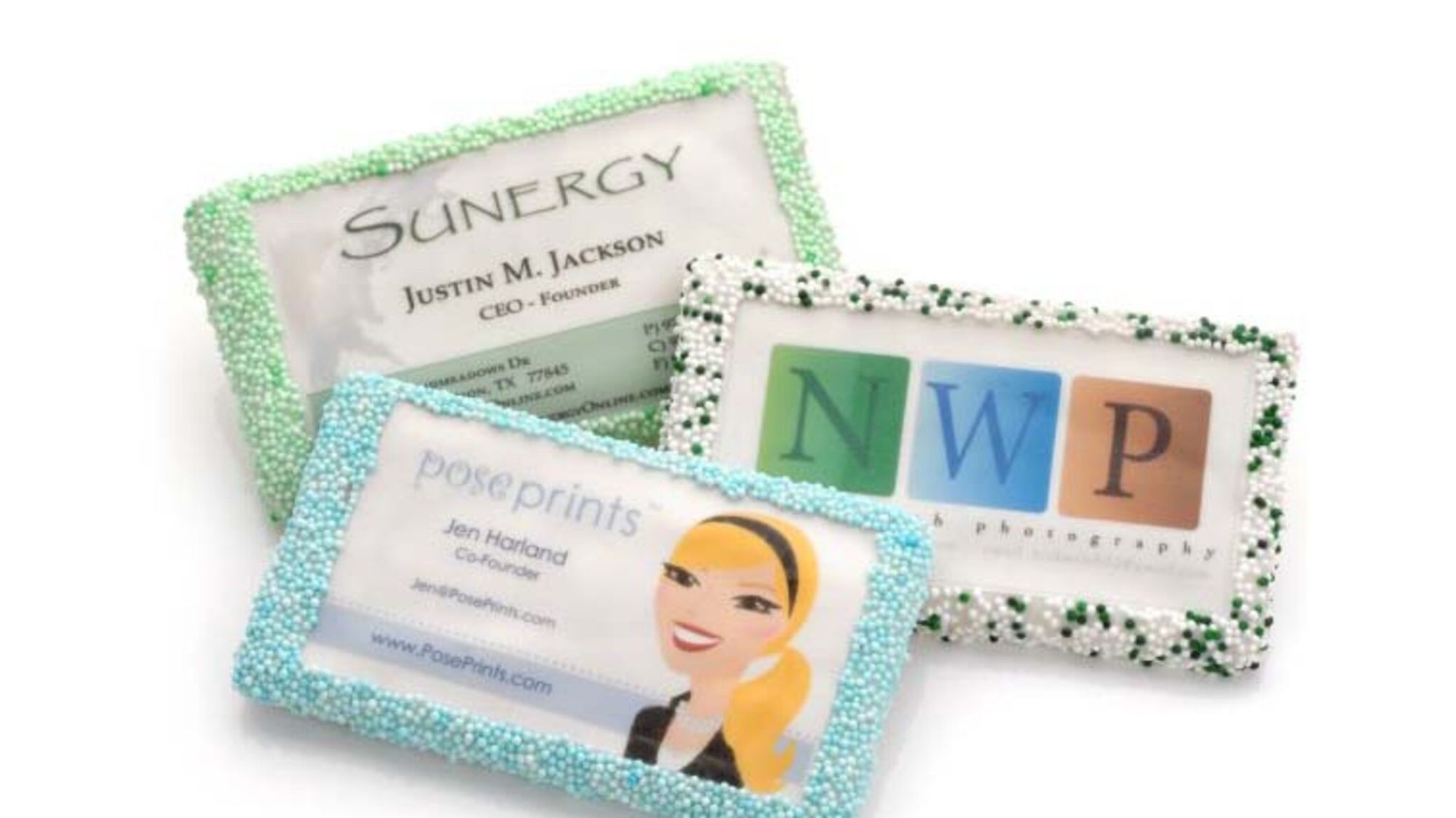
Chocolate bars stamped with your logo. Fortune cookies with your contact details inside. Spice sachets with a QR code on the back. Beverage cozies with your tagline. The category is loosely called "edible business cards" but the principle is broader: anything that gets eaten, drunk, or consumed becomes a memorable handover.
I've seen a coffee roaster who hands out one-cup sample bags with a QR code on the label. The card lives in the kitchen drawer until the customer brews the coffee. Then they scan because they want to know who made it. That's a conversion rate paper cards can't touch.
Best for: Hospitality, food and beverage brands, anyone who wants their card to go viral on social media.
Pros:
• Memorable. People photograph these.
• Shareable — recipients show their friends.
• Strong fit for food, beverage, hospitality brands.
Cons:
• Expensive per unit ($3–$10).
• Short shelf life.
• Not appropriate for most B2B contexts.
10. Smart Card Holders and NFC Keychains
For power networkers, the card itself moves into a holder you carry on your keyring. NFC-enabled keychains, wristbands, and rings let you tap your contact info to someone's phone without pulling out a wallet. The holder is the card.
These work well for people who attend the same recurring event circuit — VCs, conference regulars, in-person sales. You stop thinking about whether you brought a card.
Best for: People who network constantly and have lost too many paper cards.
Pros:
• Always on you, attached to your keys.
• Tap-and-share gesture is novel.
• Some include a QR fallback for non-NFC phones.
Cons:
• $25–$60 upfront.
• If you lose your keys, you lose your card.
11. Wearables and QR Code Lanyards

Conference badges, T-shirts with QR codes on the back, hats, lanyards. Wearable QR codes are everywhere at events because they solve the "where do I keep this stack of cards" problem entirely. The card is on you.
Most event organizers now print attendee badges with a QR code that contains the wearer's vCard. Two attendees scan each other's badges, both contacts save automatically. We've covered the badge format in QR codes on badges.
Best for: Conference attendees and exhibitors, event staff, expo teams.
Pros:
• Hands-free networking.
• Bulk-printable for staff.
• Works across the entire event venue.
Cons:
• Only relevant in event contexts.
• Static QR by default — make it dynamic to track scans.
12. Event Lead Capture Tools
For booth teams at large events, the right answer isn't a business card at all. It's a lead capture tool that scans the attendee's event badge and pushes the contact straight into your CRM with notes.
Tools like Cvent LeadCapture, vFairs, and Bizzabo do this natively. The booth rep scans a badge, types a one-line note, the lead lands in HubSpot tagged with the event name. No business cards exchanged.
Best for: Marketing teams running booths at trade shows or sponsoring conferences.
Pros:
• Full CRM integration.
• No manual data entry.
• Attendees can scan your QR back if they want your details too.
Cons:
• $50–$300/month, mostly enterprise pricing.
• Locked to specific event platforms.
• Only useful at events.
How to Pick the Right Business Card Alternative
There's no single best option. The right one depends on four things: where you network, who you network with, what your budget is, and what happens after the exchange.
Walk through these questions before you commit:
1. Where do most of your handovers happen?
• In person at conferences → NFC card or QR badge.
• Cold outreach by email → Rich email signature + Loom link.
• Coffee meetings → QR code business card, paper or screen.
• Trade show booths → Event lead capture tool.
2. Who's on the receiving end?
• B2B execs → LinkedIn QR code (almost everyone has the app).
• Consumers and small business owners → QR code business card or wallet pass.
• International contacts → QR code (works across all phone ecosystems).
3. What's your budget?
• $0 → LinkedIn QR + email signature.
• $5–$15/month → Dynamic QR code business card with analytics.
• $25–$60 one-time → NFC card or smart holder.
• $300+/month → Full event lead capture stack.
4. What's your follow-up workflow?
If your sales team lives in HubSpot or Salesforce, pick an alternative that integrates with your CRM out of the box. If you're a solo founder, prioritize alternatives with built-in scan analytics so you can see which events actually produced contacts.
Most teams I work with end up using two or three together: a dynamic QR code for daily use, an NFC card for high-touch meetings, and a wallet pass for clients they meet repeatedly. Layering beats picking.
How to Set Up a QR Code Business Card in 5 Minutes
Here's the fastest path from "I don't have a card" to "I have a working QR code business card." This assumes you want a dynamic QR code so you can change the destination and track scans.
Step 1: Decide what the QR code links to.
The most common destinations are a vCard download (saves your contact to the recipient's phone), a personal landing page, or a Calendly booking link. For most B2B use cases, a vCard is the best default — it auto-saves your details with one tap.
Step 2: Generate the QR code.
Open QR Code Dynamic, pick "vCard" or "URL" as the type, fill in your details, and customize the design (logo in the center, brand color for the modules). Aim for a final printed size of at least 0.8 x 0.8 inches — our guide on minimum QR code size covers the size math.
Step 3: Pick a print medium.
You have options: a paper card (cheap, traditional), a metal NFC card with the QR printed on the back (premium), a sticker pack you stamp on laptops and notebooks, or just save the QR as your phone lock screen and show it directly.
Step 4: Print and test.
Before ordering 500 cards, print one and test scans on iOS, Android, and a budget Android phone. The scan should work from at least 6 inches away. If it doesn't, increase the printed size or contrast.
Step 5: Add scan tracking and a CRM webhook.
In your dynamic QR dashboard, enable scan analytics. If you use HubSpot or Salesforce, set up a webhook so every scan creates or updates a contact. Now you can measure ROI per event.
If you're new to sharing digital cards in general, we walk through the full handover flow in how to share a digital business card.
The Environmental and Cost Case for Switching

Switching off paper isn't just a vibes decision. The numbers stack up two ways: cost savings and waste reduction.
The waste side. Earlier in this piece, I cited 100 billion paper cards printed per year globally. Most of those are thrown away within days. The CreditDonkey survey found 63% of recipients discard the cards they receive. Multiply 100 billion by the print, shipping, and disposal carbon footprint, and the case for a digital alternative writes itself.
The cost side. Industry research from Blinq shows organizations report up to a 90% reduction in printing and distribution expenses after switching to digital business cards. For a 50-person sales team that reprints quarterly, that's the difference between $8,000 per year and $800 per year. Compounded across the lifetime of an employee, the savings buy a decent piece of marketing software.
Industry research from Blinq also notes that 37% of small businesses and 23% of individuals now use digital business cards. The adoption curve has crossed into the early majority on the B2B side.
The realistic take: paper cards aren't dead. They're a backup at best. The primary card now lives on a phone — yours, the recipient's, or both.
One more cost angle worth flagging: paper cards have a hidden cost most people miss. The average employee spends 15 to 20 minutes per quarter ordering reprints, distributing fresh batches across offices, and chasing IT when titles change in the email signature. Across a 50-person company, that's roughly 60 hours of admin work a year you stop paying for the day you go digital. Add that to the 90% print savings figure and the total cost of paper looks worse than the sticker price implies.
Frequently Asked Questions
What are some eco-friendly business card alternatives?
The most eco-friendly options are digital: QR code business cards, vCard apps, LinkedIn QR codes, and wallet passes produce zero physical waste once shared. If you want a physical option that still beats standard paper, plantable seed-paper cards and cards printed on recycled cotton are the closest sustainable substitutes. Pairing a dynamic QR code with a recycled-material card gives you both reach and sustainability without the reprint cycle.
How do digital business cards work?
A digital business card stores your contact details (name, title, phone, email, social profiles) in a vCard file or hosted profile. You share it via a QR code, a tap on an NFC chip, a link, or a wallet pass. The recipient scans or taps, sees your details, and saves you to their phone contacts in one or two taps. Some digital cards also push updates after the fact, so if you change jobs, the saved contact updates automatically on the recipient's side.
Are business card alternatives cost-effective?
For most teams, yes. Industry research from Blinq found organizations report up to a 90% reduction in printing and distribution expenses after going digital. Static QR codes cost nothing. Dynamic QR codes with analytics typically run $5–$15 per month. NFC cards cost $15–$40 once, with no reprint costs ever. The break-even point for a 10-person team is usually within the first quarter.
What are the benefits of using QR codes for networking?
QR codes work on every smartphone without an app, so you never have to ask "do you have Blinq installed?" before sharing. Dynamic QR codes let you change the destination URL anytime, which means a job change or new phone number doesn't make your printed cards useless. You also get scan analytics — where people scanned, when, how many times — which converts networking from a guessing game into something you can measure against revenue.
How to choose the right business card alternative?
Match the alternative to your context. If you network mostly in person at conferences, an NFC card or QR badge wins. If your work is remote-first, a rich email signature and a Loom intro do more than any physical card could. If you work the trade show circuit, an event lead capture tool replaces cards entirely. For most B2B SaaS folks, a dynamic QR code business card is the safest single bet because every recipient can scan it without installing anything.
Why switch from traditional business cards in 2026?
Three reasons. First, the recipient behavior has changed — 63% of paper cards get discarded, per the CreditDonkey survey. Second, the cost economics have flipped — digital options are cheaper and updateable, while paper requires reprints. Third, the tracking matters now — every other channel in your marketing stack (email, ads, social) reports ROI. Paper cards are the last blind spot, and dynamic QR codes finally close it.
Pick the Alternative That Matches How You Actually Network
The honest answer to "what's the best business card alternative in 2026" is: it depends on where you network, and you probably need two of them, not one.
If you only have time to pick one, pick a QR code business card. Make it dynamic so you can update the destination later. Add scan analytics so you can prove which events made you money. That single move covers 80% of the use cases above and costs less than a print run of paper cards.
Then layer the rest as your situation demands. An NFC card for high-touch meetings. A rich email signature for daily outreach. A wallet pass for clients you meet often. A LinkedIn QR for the conference circuit.
Whichever combination you land on, give yourself one quarter to test. Track scans, count saved contacts, measure how many turned into pipeline. If your numbers don't move, switch the mix. Paper cards never let you do that — and that's the whole reason they're losing.
Ready to generate your first dynamic QR code? Head to QR Code Dynamic and have a working business card alternative live in five minutes.