


A QR code giveaway is a contest where entrants scan a code to land on your entry page and opt in. To run one in 2026, pick a prize mechanic (scan-to-enter, scratch reveal, or spin-the-wheel), generate a dynamic QR code, build a mobile entry form, place codes across channels, then track scans and opt-ins.
What Is a QR Code Giveaway?

A QR code giveaway is a promotion where the entry mechanic is a scan. Instead of typing a URL or hunting for a hashtag, a customer points their phone at the code printed on packaging, a poster, an email, or a screen, lands on your contest page, and submits their entry in two taps.
The structure is simple: one QR code, one landing page, one prize, and one set of rules. What changes the math is the QR code itself. A static code locks you to a single destination, which means a typo in the URL or a switch in the prize forces a reprint. A dynamic QR code lets you swap the destination after print, so the same sticker on 50,000 coffee cups can run three different campaigns over a year.
That single shift, from static to dynamic, is why most serious 2026 giveaway campaigns use a dynamic QR code as the entry layer. You keep the print run, you change the prize, you get scan analytics per channel, and you never burn a campaign over a broken link.
Why QR Code Giveaways Work in 2026
Two patterns explain the shift. First, the entry friction is lower than any form-fill or hashtag promo. Second, the analytics are richer than anything you get from a vanity URL.
According to Audience.io, Stella Rosa drove 385,000+ email opt-ins through a $100K instant-win sweepstakes built around a scan-to-enter QR campaign. The campaign relied on packaging and in-store displays as the primary scan surface, which means the brand turned every bottle into an entry point.
The opt-in rates back this up. According to Makeitfuture, a QR-driven contest campaign hit a 48% marketing opt-in rate versus the 34% industry average, a 14-point lift that comes from removing the URL-typing step between scan and entry.
What You Will Need Before You Start
Pre-flight checklist:
- A dynamic QR code generator with scan analytics (campaign-level tracking)
- A mobile-first entry landing page with a short form (email plus one custom field)
- Contest rules document covering eligibility, prize value, draw date, and winner notification
- Time estimate: 2 to 4 hours to set up, plus the contest run window (typically 7 to 30 days)
- Skill level: beginner-friendly if you use a hosted form builder; intermediate if you build the landing page yourself
Quick overview of the seven steps:
- Define your goal — pick one of leads, UGC, sales, or awareness.
- Pick the prize and entry mechanic — match prize budget to scan-to-enter, scratch reveal, or spin-the-wheel.
- Generate a dynamic QR code — point it at the entry page, not a static URL.
- Design the entry landing page — short form, visible rules, mobile-first layout.
- Place codes across channels — packaging, in-store, social, email, custom merch.
- Promote and measure — track scan rate, opt-in rate, and conversion per channel.
- Pick the winner and follow up — automate the draw, then segment the email list.
Step 1: Define Your Giveaway Goal
The mechanic, the prize, and the channels all flow from a single decision: what do you want this campaign to produce? Pick one primary goal and one secondary goal. More than two, and the campaign loses focus.
The four common goals for QR code giveaways:
- Leads — collect emails or phone numbers for a newsletter, sales sequence, or loyalty program. Prize: gift card, product bundle, or annual subscription.
- User-generated content (UGC) — get entrants to post a photo or video on social with a brand hashtag. Prize: experiential reward (trip, event tickets) that creates content worth sharing.
- Sales — drive purchases with a scan-to-enter mechanic that requires a receipt upload. Prize: cash back, refund, or premium product upgrade.
- Awareness — push brand visibility through novel placements (custom merch, event installations). Prize: high-perceived-value low-cost item that generates social buzz.
You will know it is working when: your campaign brief fits on one page, and every channel decision below answers either yes or no instead of maybe.
Watch out for:
- Stacking three goals into one prize: "leads, sales, and UGC" splits attention three ways. The form gets longer, the rules get heavier, and conversion drops. Pick one.
- Picking a prize before the goal: the prize should match the goal. A $50 gift card pulls leads. A $5,000 trip pulls UGC. A 20% off code pulls sales. If you reverse the order, you over-pay for the wrong audience.
Pro tip: Across the 3+ years I have spent running SaaS campaigns, the highest-performing QR giveaways I have seen are the ones where the prize cost matches the customer lifetime value of the audience you are targeting. If a B2B SaaS lead is worth $400 LTV, a $50 prize feels generous; if your audience is $20 CPG buyers, a $5,000 prize feels suspicious and entries get noisy.
Step 2: Pick the Prize and Entry Mechanic

The entry mechanic decides how much fun the entrant has and how much friction sits between the scan and the opt-in. Match the mechanic to the prize budget, not the other way around.
Four mechanics, ranked by build complexity:
- Scan-to-enter — simplest. Scan, fill form, submit. Use this when the prize is straightforward (gift card, product) and the audience expects a clear path.
- Scan-and-win (instant win) — every scan reveals immediately whether the entrant won a small prize, with a grand prize drawn later. Use this for high-volume CPG or retail campaigns where you want repeat scans.
- Scratch reveal — landing page shows a digital scratch card that reveals a prize. Use this when you want a playful interaction without building a full game.
- Gamified spin-the-wheel — entrant spins a virtual wheel after scanning. Higher engagement, longer time-on-page, more email signups. Use this when you have prize tiers (10% off, 20% off, free product).
You will know it is working when: a colleague who has never seen the campaign can scan the code on their phone and complete the entry in under 30 seconds without asking what to do.
Watch out for:
- Picking spin-the-wheel for a $5 prize: the perceived effort of the mechanic must match the perceived value of the prize. A wheel for a $5 coupon feels like a waste of time.
- Building a custom game when a form would do: a custom game costs 4 to 8 weeks of dev time. A scan-to-enter form costs an afternoon. Start with the form, add the game only if a repeat campaign earns it.
Pro tip: If you are running a giveaway for the first time, run two parallel landing pages off the same dynamic QR — one with a plain form, one with a gamified element — and split traffic 50/50 for the first 48 hours. The dynamic QR analytics will show you the opt-in rate per variant, and you can route 100% of traffic to the winner.
Step 3: Generate a Dynamic QR Code
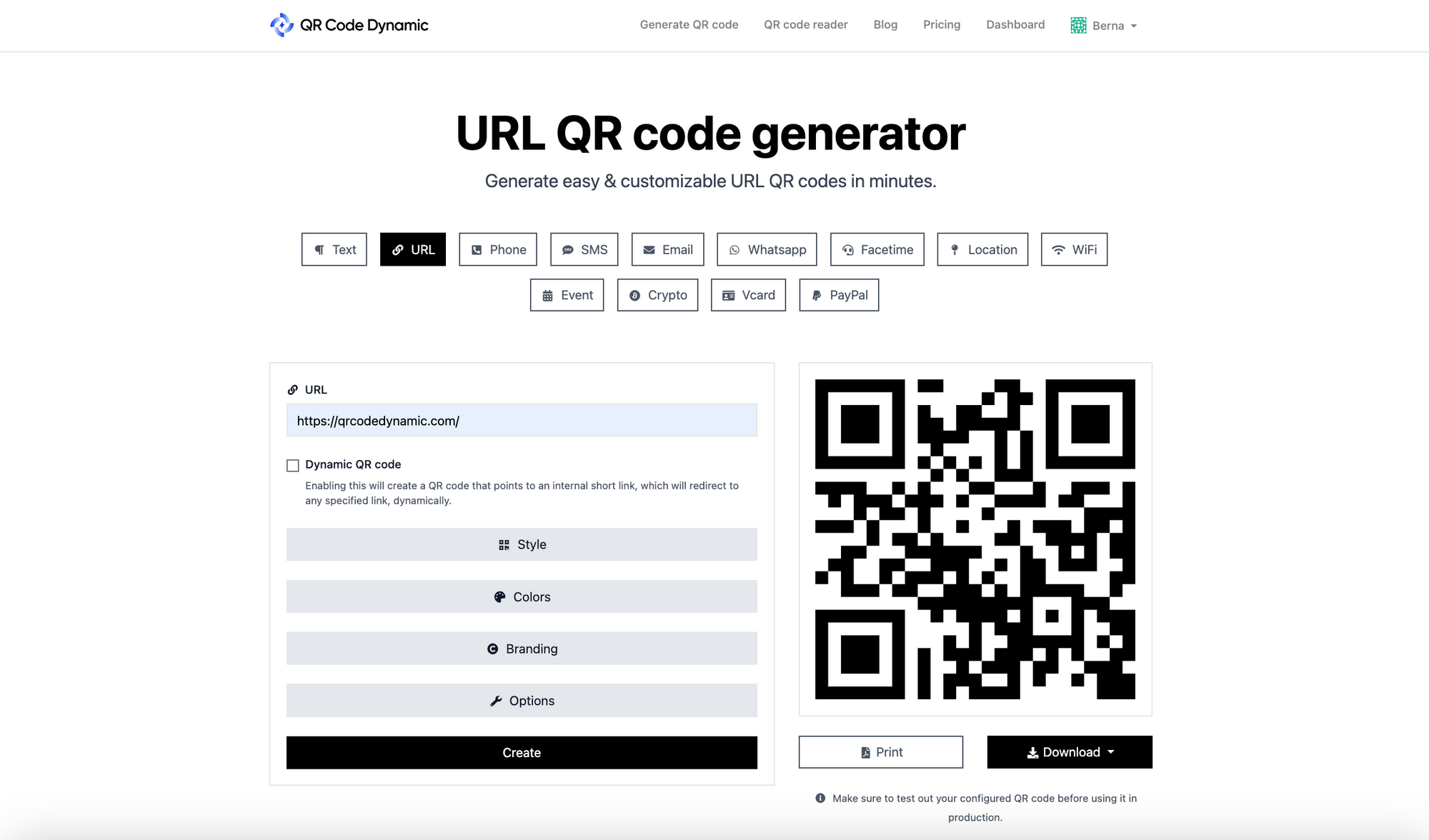
A dynamic QR code is the right default for any giveaway, even a one-off campaign. The QR image stays the same after print; the destination URL behind it can be updated any time. That single property gives you three things: scan analytics, the ability to fix a broken link, and the option to repurpose the print run for a second campaign.
To create one with QR Code Dynamic:
- Go to the URL QR code generator and select Dynamic URL (not Static).
- Paste the destination URL — your entry landing page — into the destination field.
- Name the campaign (e.g., "Spring 2026 Sweepstakes — Packaging") so the scan analytics dashboard groups it correctly.
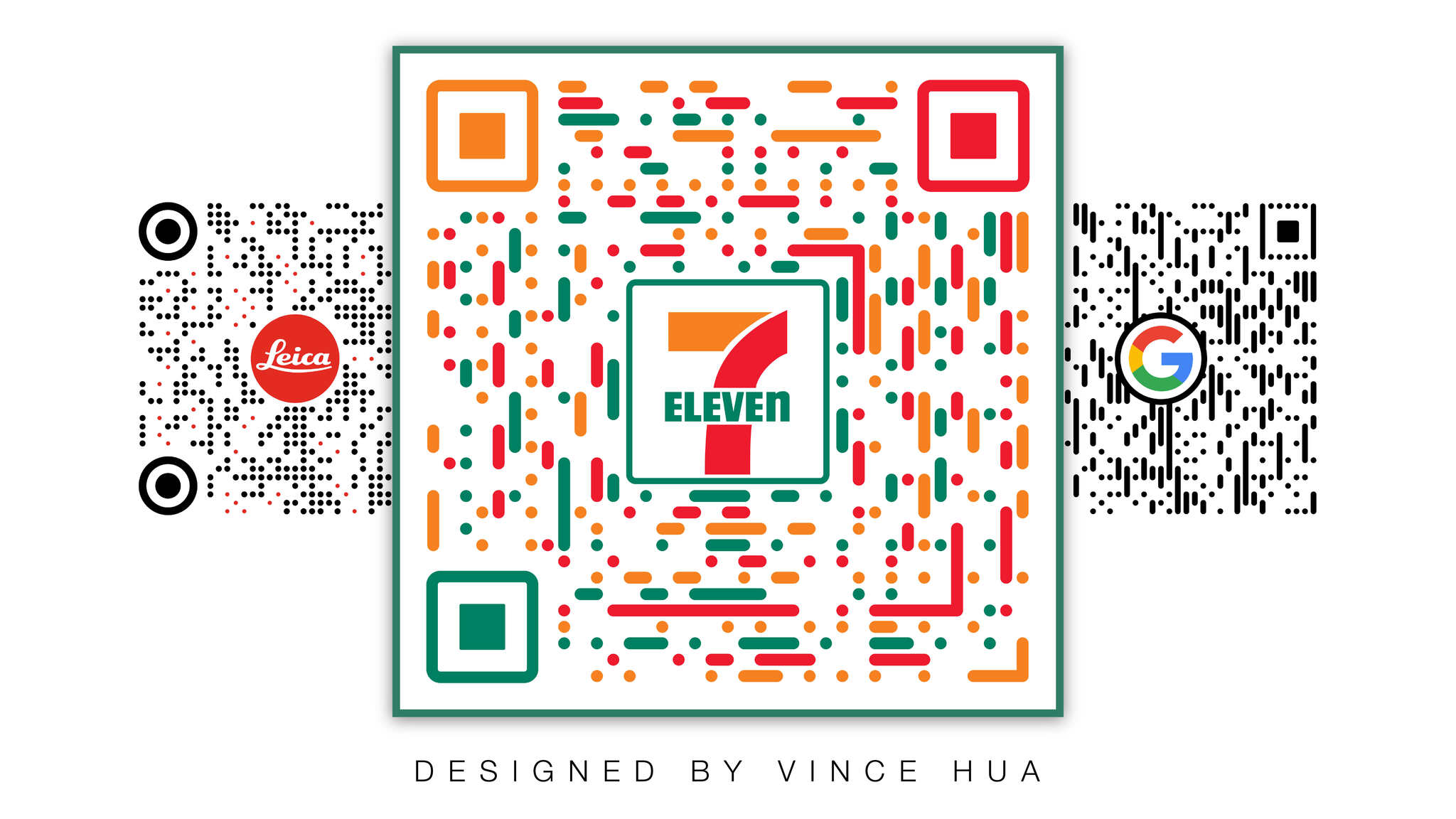
- Customize the design: brand colors, logo in the center, frame text like "Scan to Win." See our creative QR code design ideas for inspiration on frame copy and corner styles.
- Set a pageview limit if you need to cap entries (for legal or budget reasons).
- Download as SVG for print and PNG for digital — SVG scales cleanly to billboard size, PNG works for email and social.
You will know it is working when: the QR scans cleanly from 12 inches away on a printed proof, and the scan analytics dashboard shows a test scan within 30 seconds.
Watch out for:
- Embedding the logo too large: the center logo can cover up to 30% of the code without breaking the error correction, but anything beyond that and older phones fail to read it. Test on an iPhone older than 2020 before you go to print.
- Using a static QR for a giveaway: if the landing page URL changes (rebrand, domain switch, broken plugin) you reprint everything. A dynamic QR redirects with one dashboard edit.
Pro tip: Generate two dynamic QR codes for the same campaign — one for print, one for digital — even if they point to the same landing page. The scan analytics let you see exactly how much each channel contributed, and you can kill the underperformer mid-flight without touching the other. I have used this split to catch a packaging supplier who shipped 30% of units with the QR upside down.
Step 4: Design the Entry Landing Page
The landing page is where the campaign earns or loses the entry. The scan brought the entrant 90% of the way; the page closes it.
The page must do four things in this order:
- Confirm the prize and the deadline above the fold. The entrant scanned because they saw a prize; the page must repeat the prize within the first screen.
- Show the form, not the rules. A short form (email + first name is fine for most campaigns) with a clear CTA button. Anything longer than four fields and opt-in rates drop sharply.
- Link the rules below the form, not above it. Eligibility, draw date, prize value, sponsor — full terms accessible but not blocking.
- Show a confirmation screen with a share prompt. "You're in. Share with a friend for an extra entry" turns one entry into 1.4 on average.
The page must be mobile-first because nearly every scan happens on a phone. Test the form on a 5.5-inch screen before launch; if the submit button is below the keyboard fold, the entry rate halves. For desktop users who still try, our guide on how to scan a QR code on computer covers the fallback flow.
You will know it is working when: you can scan the code on a phone you have not used before, complete the entry, and reach the confirmation screen in under 25 seconds.
Watch out for:
- Putting the rules above the form: entrants do not read 600 words of legal copy before they enter. They bounce. Keep the rules accessible via a link, not a wall.
- Asking for a phone number when you only need email: every extra field costs you 5 to 10 percentage points of opt-in rate. Ask for what you can use, not what would be nice to have.
Pro tip: Add a "How did you hear about this?" optional dropdown with one preset value matching the channel (Instagram, packaging, email, in-store). Combined with the dynamic QR scan analytics, this gives you a second confirmation source on channel attribution. I have caught two campaigns where the QR analytics under-reported social scans because of in-app browser quirks; the dropdown filled the gap.
Step 5: Place Codes Across Channels
The biggest gap in most QR giveaway campaigns is single-channel deployment. Brands print the code on packaging and stop there. The brands that hit 385K opt-ins put the same QR code on six surfaces.
The deployment matrix that consistently outperforms single-channel:
- Product packaging — primary scan surface for CPG. The QR sits on the side or back panel with frame copy ("Scan to Win $1,000").
- In-store displays and shelf-talkers — for retail. Larger QR (minimum 2 inches square) at eye level near the product.
- Social media posts and stories — Instagram Stories with a QR sticker on the swipe-up screen. Our Instagram QR code guide covers the sticker format that auto-detects scans inside the app.
- TikTok and Reels — pin the QR in the corner of the video for the final 3 seconds. See our how to scan QR code on TikTok walkthrough for the exact placement.
- Email newsletters — the QR sits next to a tap link for mobile users, with the link as fallback for desktop.
- Custom merch (t-shirts, tote bags, stickers) — the under-used surface. A printed QR on a giveaway t-shirt becomes a walking ad for the next campaign.
- Event signage and booth backdrops — for trade shows and pop-ups. Combine with a tablet showing the landing page so non-scanners can still enter.
You will know it is working when: your dynamic QR scan analytics show traffic from at least four distinct channels within the first 48 hours, and no single channel accounts for more than 60% of scans.
Watch out for:
- Using one QR code across all channels without attribution: if every surface uses the same code with no parameter, you cannot tell whether the packaging or the email drove the entry. Either generate a separate dynamic QR per channel, or append a UTM parameter to the destination URL per channel.
- Printing the QR smaller than 1 inch on packaging: phones below the iPhone 12 generation struggle below 0.8 inches. Test scannability across two older devices before locking the print spec.
Pro tip: For multi-channel campaigns, name your dynamic QR codes with a strict convention: campaign-channel-placement (e.g., "spring2026-packaging-side", "spring2026-email-newsletter"). When you pull the analytics three weeks later, you can filter by channel in one click instead of guessing which code belonged to which surface. I have lost an afternoon to mis-named codes; the naming convention saves it.
Step 6: Promote and Measure
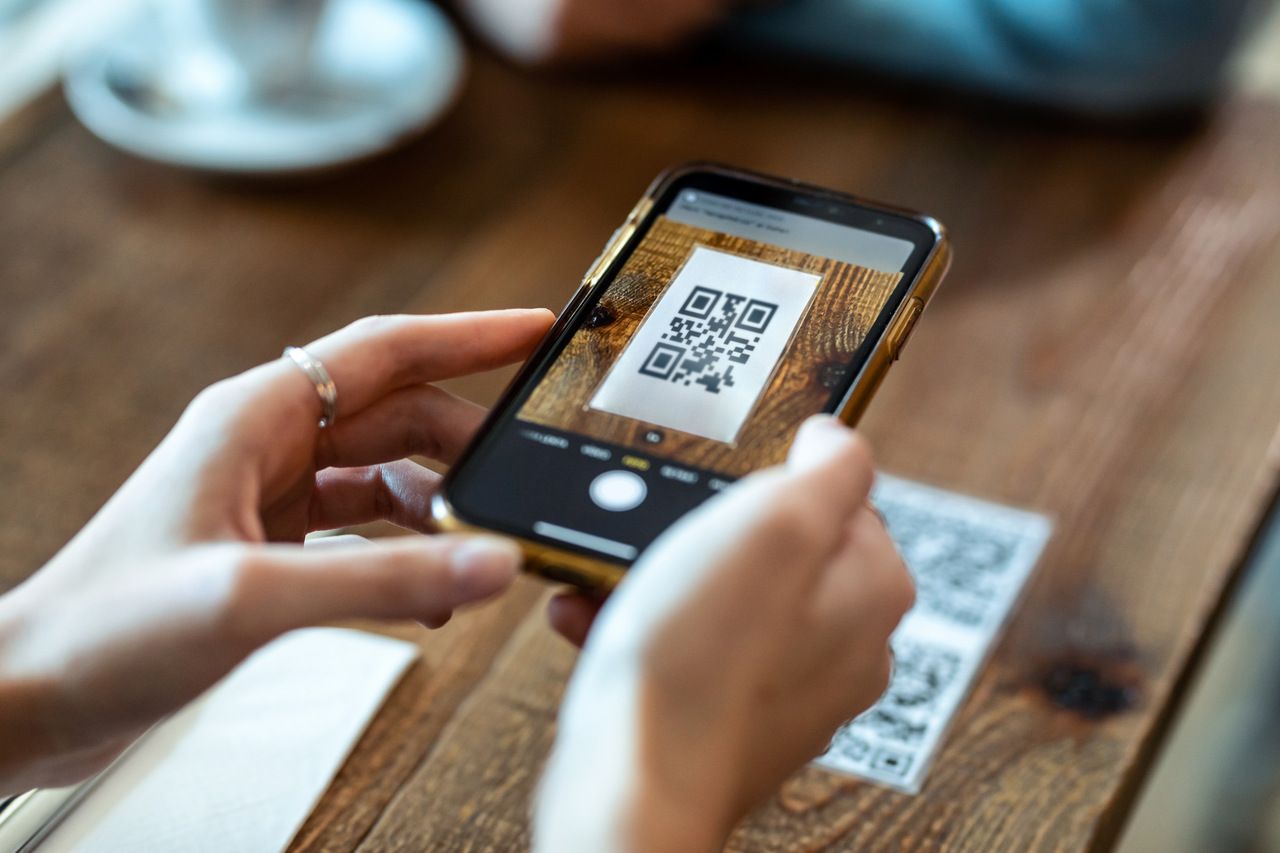
A QR giveaway dies in the first 72 hours without promotion. The print run is the foundation, but the lift comes from email blasts, social posts, and creator partnerships that point at the same campaign.
The three metrics that matter, in order:
- Scan rate — scans divided by impressions (or units shipped). A 2 to 5% scan rate is normal for CPG packaging; 8 to 15% for in-store displays; 15 to 30% for paid social with a clear CTA.
- Opt-in rate — entries divided by scans. The benchmark to beat is the 34% industry average; the campaigns that win pull 40%+ by tightening the form and matching the prize to the audience.
- Conversion rate (downstream) — for sales-driven campaigns, the percentage of entrants who later purchase. For lead campaigns, the percentage who open the first follow-up email.
Promotion sequence that works:
- Day 0 — campaign launch email to existing list, social posts on every channel, paid spend on the highest-converting channel from your last campaign.
- Day 3 — UGC repost from early entrants, behind-the-scenes content showing the prize.
- Day 7 — midpoint email with a deadline reminder and the current entry count (social proof).
- Final 48 hours — countdown posts and a final email blast. Most entries land in the last 48 hours; plan the spend curve to match.
You will know it is working when: your scan analytics show a hockey-stick curve in the final 48 hours, opt-in rate stays above 40%, and at least 20% of entries come from channels you did not directly pay for (organic social, referral, word-of-mouth).
Watch out for:
- Front-loading all the spend on day 1: entries cluster at the deadline. Reserve 40% of the budget for the final 72 hours.
- Tracking scans but ignoring opt-in rate: a 50,000-scan campaign with a 5% opt-in rate gives you 2,500 emails. A 10,000-scan campaign with a 50% opt-in rate gives you 5,000. Optimize the landing page before you buy more scans.
Pro tip: Set up an automation in your email tool that triggers the moment an entrant submits. The first email goes out within 60 seconds: "You're in. Here's what happens next." Open rates on that first email run 70%+ because the entrant is still on the confirmation screen. That email is the single biggest lever for converting giveaway entrants into long-term subscribers.
Step 7: Pick the Winner and Follow Up
The campaign does not end at the draw. The follow-up sequence is where giveaway entries convert into customers, and it is the part most brands skip.
The post-draw sequence:
- Run a verifiable random draw — use a tool with audit logs or a notary-witnessed draw for prizes above $5,000. Screenshot the draw process.
- Notify the winner via two channels — email and SMS if you have both. Give the winner 72 hours to respond before drawing an alternate.
- Announce the winner publicly — social post with a quote from the winner, photo if they consent. This becomes social proof for the next campaign.
- Send a "you didn't win but here's a consolation" email — a 10% off code, a free resource, or early access to the next product launch. This is the highest-value email of the entire campaign for conversion.
- Segment the email list — tag entrants with the campaign name, channel of entry, and any custom field. The segment is now a known acquisition source for your CRM.
You will know it is working when: the consolation email pulls a 20%+ open rate, the winner announcement post outperforms your normal social baseline, and at least 5% of non-winning entrants convert to a purchase within 14 days.
Watch out for:
- Skipping the consolation email: 99% of entrants did not win. If you ignore them, you wasted the acquisition cost. The consolation email is the conversion event.
- Drawing without an audit trail: any prize above $1,000 needs a verifiable draw process. "Trust us" does not hold up if a state attorney general asks for the entry log.
Pro tip: Time the consolation email for 24 hours after the winner announcement. If you send it the same day, it competes with the winner post; 24 hours later, the entrant has processed "I didn't win" and is open to the offer. The 24-hour delay lifts click-through by 30 to 40% versus same-day sends.
QR Code Giveaway Ideas by Industry
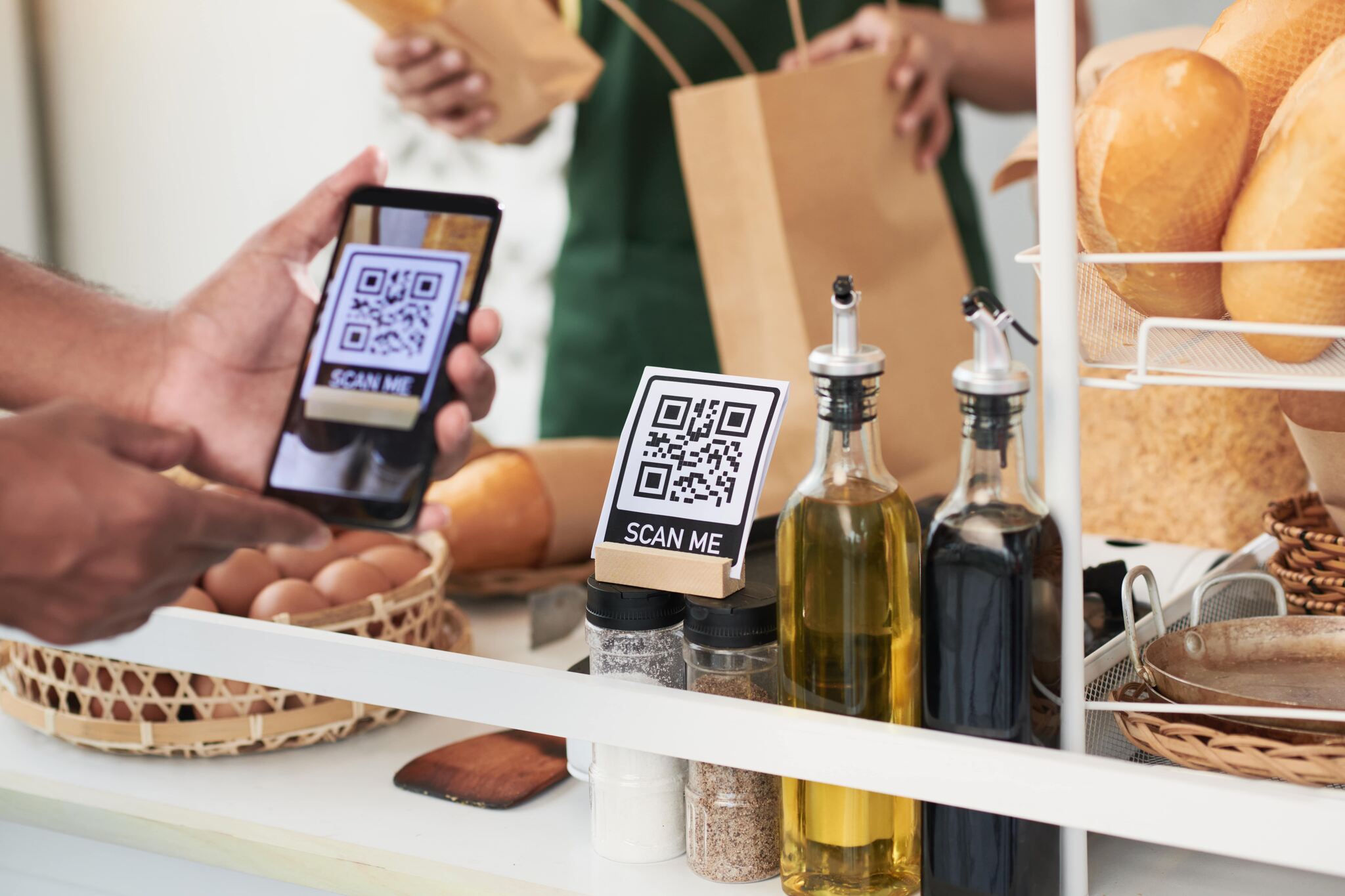
The mechanic is the same; the prize and the placement change per industry. Six patterns that work:
- Beauty and personal care — QR on product packaging, prize is a year of free products or a brand collaboration kit. Mechanic: scan-and-win with instant 10% off plus grand prize draw. Works because the entrant is already holding the product when they scan.
- Retail and apparel — QR on shelf-talkers and fitting room mirrors, prize is a wardrobe makeover or store credit. Mechanic: spin-the-wheel with tiered store credit ($10/$50/$500). The wheel drives time-on-page and a 30%+ opt-in rate.
- Restaurants and hospitality — QR on the menu, table tents, and receipts, prize is a year of free coffee or a chef's table experience. Mechanic: scan-to-enter with a "What did you order today?" optional field for menu insights.
- Events and conferences — QR on lanyards, booth signage, and event programs, prize is next year's all-access pass or a 1:1 with the keynote speaker. Mechanic: scratch reveal at booths to drive booth traffic plus a grand prize at the closing keynote.
- B2B and SaaS — QR on trade show booth backdrops and printed lead-gen handouts, prize is an annual subscription or a strategy consult. Mechanic: scan-to-enter with a short qualification form (company size, role) that doubles as a marketing-qualified lead capture.
- CPG and beverage — QR on bottles, cans, and case packs, prize is high-value cash or branded experience. Mechanic: instant-win scan-and-reveal for repeat scans across multiple purchase units (the Stella Rosa model).
Multi-Channel Deployment Patterns
Single-channel giveaways cap out around 5,000 to 10,000 entries even with strong promotion. Multi-channel campaigns scale to 100,000+ because each channel reaches a non-overlapping audience.
Three deployment patterns that compound:
The Packaging-Plus-Social Stack
The QR code prints on packaging and runs in parallel on Instagram and TikTok with the same code. Packaging captures buyers; social captures the wider audience. The dynamic QR scan analytics show which surface drives the highest opt-in rate, and you double the budget on the winner.
The Email-Plus-Merch Loop
The first wave goes to the existing email list with the QR code in the body. Winners (or a sample of entrants) receive a free t-shirt with the same QR printed on the sleeve. The t-shirt becomes a roving billboard for the next campaign, and the original entrants become the promotion channel.
The Event-Plus-Receipt Combo
Event attendees see the QR on lanyards and booth signage. After the event, a follow-up receipt or thank-you email carries the same QR. The event captures high-intent attendees; the receipt extends the campaign window by 30 days. QR codes on receipts compound the impression count without adding print cost.
Common Mistakes to Avoid
Five mistakes that show up in nearly every failed QR giveaway audit:
- Using a static QR code for a multi-week campaign. If the URL breaks, the print run is dead. Dynamic QR redirects fix this in one click.
- Single-channel deployment. Packaging alone caps the audience. Add email, social, and merch to scale.
- Asking for too much data on the entry form. Email and first name pull 40 to 50% opt-in. Adding phone, age, and gender drops it below 25%.
- No follow-up sequence after the draw. The consolation email is the conversion event. Skipping it wastes the acquisition spend.
- Hiding the prize below the fold on the landing page. The prize is the reason for the scan. It must be the first thing on the page.
QR Code Giveaway Safety Best Practices
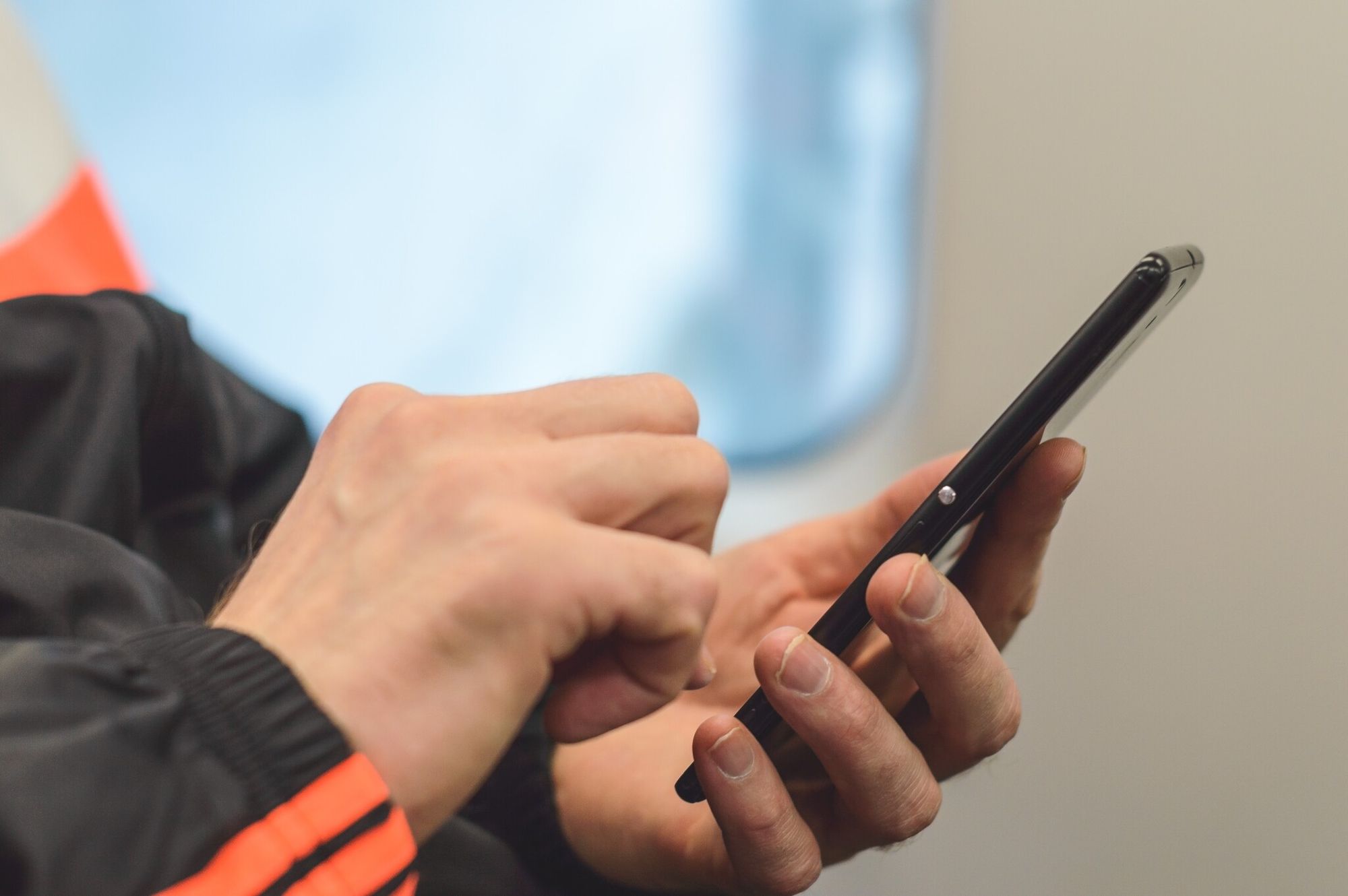
Quishing — phishing via QR code — is the security concern the FBI flagged in its 2022 public service announcement, and it has stayed relevant through 2026. The risk is that bad actors stick fake QR codes over legitimate ones (on parking meters, restaurant tables, packaging) to send scans to phishing sites. For brands running giveaways, the responsibility is to make your QR code visibly trustworthy and your landing page obviously yours.
Six safety practices to apply:
- Use a branded domain in the destination URL. If the URL preview shows "yourbrand.com" the entrant trusts it; if it shows a random shortener, they bounce.
- Customize the QR with brand colors and logo. A generic black-and-white QR is easier to fake. A branded QR is harder to overlay convincingly.
- Add a frame with brand copy. "Scan to win — official [Brand] sweepstakes" tells the entrant this is the real code.
- Use HTTPS on the landing page. No exceptions. Most modern phones warn on HTTP, and the warning kills opt-in rates.
- Publish the official entry URL on your website. Entrants who do not trust the QR can type the URL directly and still enter.
- Monitor the campaign for fake codes. If your campaign is high-visibility (large CPG, national retail), set a brand-monitoring alert for fake QRs in your category and respond fast.
Frequently Asked Questions
How do you do a giveaway with a QR code?
Define your goal (leads, UGC, sales, or awareness), pick a prize that matches the audience LTV, choose an entry mechanic (scan-to-enter, scan-and-win, scratch reveal, or spin-the-wheel), generate a dynamic QR code, build a mobile-first entry page, place the code across at least four channels, then promote in waves and measure scan rate, opt-in rate, and downstream conversion.
How do I get an actually free QR code?
Static QR codes are free from most generators because they only encode a URL into a pattern, with no hosting cost. Dynamic QR codes (the ones with scan analytics and editable destinations) require backend hosting and are usually paid, though many tools offer a free tier for small campaigns. For a giveaway, the free tier is enough to test; upgrade if you need analytics or higher scan volume.
How do I track QR code giveaway performance?
Dynamic QR codes ship with scan analytics by default: total scans, unique scans, device type, location, and time of day. Combine that with the opt-in rate from your landing page form and the downstream conversion rate from your email tool, and you have a full funnel view per channel. Name your QR codes by channel (e.g., "spring2026-packaging") so the analytics filter cleanly.
What are the best practices for QR code contests in 2026?
Use dynamic QR codes for every campaign regardless of length. Match the prize to audience LTV, not to budget. Deploy across at least four channels (packaging, social, email, plus one of merch or events). Keep the entry form to two fields. Reserve 40% of promotion budget for the final 72 hours. Build a consolation email for non-winners, because that is the conversion event for 99% of entrants.
Pick the Giveaway Mechanic That Matches Your Prize Budget
The fastest way to launch a QR code giveaway in 2026 is to pick the goal first, match the prize to audience value, and use a dynamic QR code as the entry layer. The mechanic, the channels, and the follow-up all flow from those three decisions.
If you are starting from zero, the lowest-risk first campaign is a scan-to-enter giveaway with a single prize, a two-field entry form, and the dynamic QR placed on three channels (packaging or in-store, email, and one social platform). That setup ships in a week, gives you clean attribution data, and produces a baseline opt-in rate you can beat on the next campaign.
Ready to launch your first one? Spin up a dynamic URL QR code in under five minutes, point it at your entry page, and you have the spine of the campaign in place. The rest is prize, promotion, and follow-up.