


To use a QR code on postcards, define a single post-scan goal, build a mobile landing page that mirrors the card, generate a dynamic QR with scan analytics, place it 0.8 to 1 inch on the front near a clear CTA, test it from 12 to 18 inches with two phones, then track scans and tune the destination mid-campaign.
Why QR Codes Belong on Postcards in 2026
Direct mail came back from the dead because phones swallowed every other channel. The post you wrote sat in a queue with 80 unread emails. The postcard you mailed sat on a kitchen counter. The QR code is the bridge that makes that counter measurable.
I've run direct-mail follow-up campaigns for three SaaS clients in the last 18 months. Every one of them got a 2x to 4x bump in landing-page sessions the week the QR'd batch hit mailboxes versus the static control. The numbers below explain why:
• According to Varispark, nearly 40% of people are likely to scan a QR code on direct mail and take action — and that number rises above 50% for ages 18 to 34.
• According to Doceo, campaigns with digital links or QR codes see roughly 9% higher response rates than static mail pieces.
• According to WifiTalents, including a QR code on a postcard can increase conversion by 30%.
• According to Lift Agency, printed media that included QR codes had an average scan rate of 6.4%.
For context, Varispark also pegs the average postcard response rate at roughly 9%. Stack a 6.4% scan rate and a 30% conversion lift on top of that 9% baseline and you start to see why finance teams stopped pushing back on the print budget.

How QR Codes Work on Postcards
A QR code is a 2D barcode that holds a URL, a piece of text, a vCard, or a Wi-Fi handshake. On a postcard, you're almost always encoding a URL because everything else lives behind a page anyway.
Two flavors matter for direct mail. Static codes hard-code the URL into the printed pattern. Once the card ships, you can't change where it points. Dynamic codes encode a short redirect URL that your QR platform owns; the destination on the other side is editable from a dashboard, and every scan is logged with date, device, and approximate location.

For mailed campaigns, dynamic wins almost every time. Print runs lock in for weeks or months, your offer changes, your landing page A/B test picks a winner, your tracking parameters need a tweak — with a static code, you'd reprint. With a dynamic code, you edit the destination and the same printed card now sends scans somewhere new.
How to Add a QR Code to Your Postcard, Step by Step
Seven steps. None of them are optional. The order matters — most failed campaigns I've audited skipped step one and tried to bolt strategy on at step four.
Step 1: Define the Post-Scan Goal Before Anything Else
Pick one thing the scanner should do. Not three. One. "Get a quote," "RSVP," "redeem the 20% code," "book a 15-minute call." If you can't name the single action in a sentence, your landing page won't either.
How I do this with clients:
• Write the goal as a verb plus a noun: "book consultation," "claim discount," "register seat."
• Pick the metric that proves the goal happened: form submit, Calendly booking, code redemption at checkout.
• Decide the success threshold before mailing: e.g., "200 scans and 30 bookings off 5,000 postcards."
You'll know you nailed this when: the goal fits on a sticky note and your designer, your QR platform, and your analytics person all read the same sticky note.
Watch out for:
• Multi-goal cards. A postcard that says "scan to learn more, book a call, follow us on Instagram, and join our newsletter" gets ignored. Pick the highest-value action.
• Vanity metrics as the goal. "Scans" isn't a goal. Scans without a downstream action are wasted postage.
Pro tip: On a Q1 campaign for a B2B services client, we cut three CTAs down to one ("book a 15-minute audit") and watched the booking rate jump from 1.1% to 3.8% on the same mailing list, same creative, same QR placement. The only change was a single goal.
Step 2: Build a Mobile-First Landing Page That Matches the Postcard
The fastest way to kill a scan is to send someone from a postcard to a desktop homepage with a hero banner, a chat widget, and four navigation menus. Your landing page needs to look like the postcard's next page, not your homepage's bottom half.
Build the page mobile-first. 95% of scans happen on phones in portrait. The page should:
• Use the same headline as the postcard (mirror the offer word-for-word).
• Show the offer above the fold without scrolling on a 6.1-inch screen.
• Have one CTA button — same verb as the postcard.
• Load in under 2 seconds on 4G (Lighthouse mobile score 85+).
You'll know it's working when: your bounce rate on the QR landing page is under 50% and average session duration is 35+ seconds. Anything under 20 seconds means the page didn't deliver on the postcard's promise.
Watch out for:
• Pointing the QR at your homepage. Conversion drops by 60-70% versus a dedicated landing page in every test I've run. Homepages have to serve everyone, so they serve no one specifically.
• Auto-playing video. It eats data, scares Bluetooth, and bumps bounce rate.
Pro tip: Add UTM parameters to the destination URL before generating the code — utm_source=postcard, utm_medium=direct-mail, utm_campaign=spring-2026. I've watched marketing teams realize three weeks into a campaign that they can't separate postcard scans from QR scans on flyers because nobody tagged the URL. By then the print is already in mailboxes.

Step 3: Generate a Dynamic QR Code You Can Edit Later
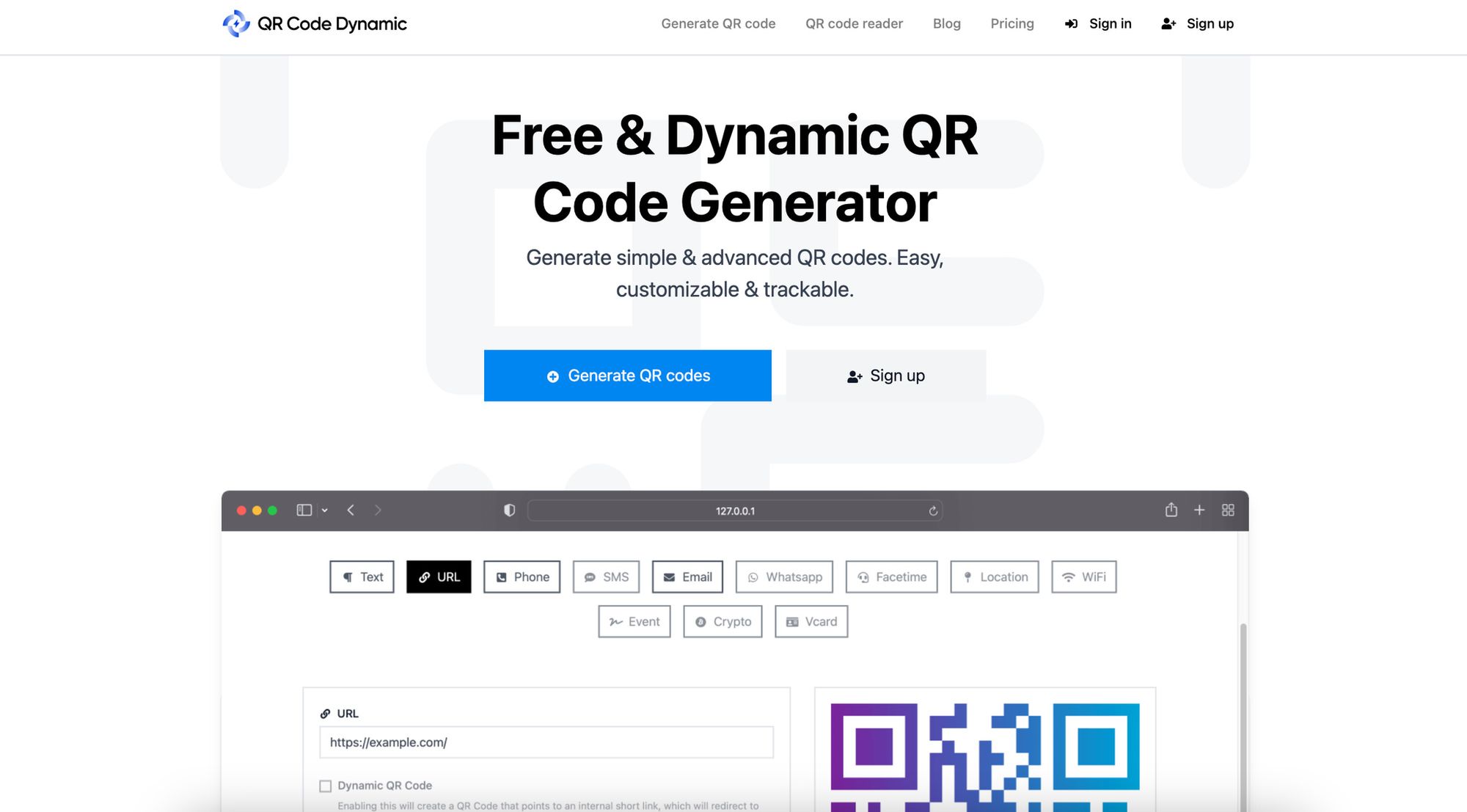
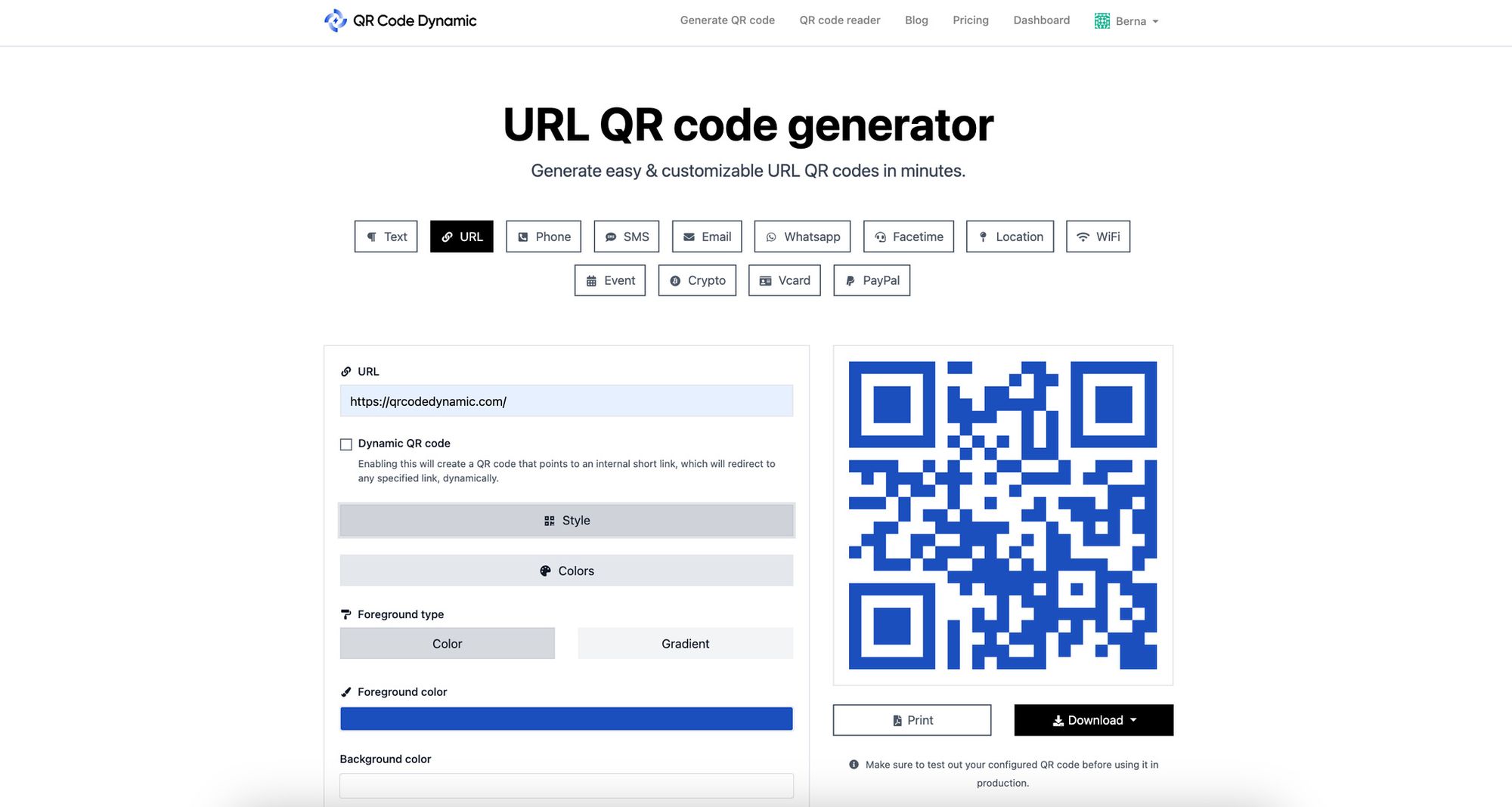
Use a platform that issues dynamic codes, gives you a scan dashboard, and lets you swap the destination after printing. QR Code Dynamic handles all three — you generate the code, the postcard goes to print with that short redirect URL baked in, and you can repoint it from the dashboard any time without reprinting.
Walk-through:
• Sign in, pick "URL" as the QR type (not "static URL" — you want the dynamic one).
• Paste your landing page URL with UTM parameters attached.
• Customize the look: brand color in the modules, your logo in the center, rounded corners if your postcard art is rounded.
• Set the error-correction level to H (30%) so the code still scans if the printer fades a corner or the postcard creases in transit.
• Download the code as SVG or 300+ DPI PNG. Vector is best for print.
You'll know it's working when: the dashboard logs your test scans within 5-10 seconds and the editable destination field is live.
Watch out for:
• Generating a static code by accident. Some free generators only do static. Read the fine print — if there's no dashboard URL, it's static.
• Logo too big. A logo over 25% of the code area damages the data modules. Keep it under 20% with error correction at H.
Pro tip: I once watched a print vendor downgrade a 300 DPI SVG to a 96 DPI raster during pre-flight without flagging it. The first batch came back with codes that scanned at 8 inches but failed at 18. We caught it on press check. Always test the proof on uncoated stock at the printer's actual output before you green-light the full run.
Step 4: Place the Code Where It Actually Gets Scanned
Placement decides whether a scan even happens. Wrong spot, wrong size, wrong contrast — the scan rate drops to single digits.
Front versus back is the first call. Front placement gets 2-3x more scans for cold mail because most cards get a 2-second glance before sorting. Back placement works only if the front has a compelling reason to flip the card.
Size matters as much as side. The sweet spot is 0.8 to 1 inch (20-25mm) on a standard 4x6 postcard. Smaller than 0.8 inch and older phones struggle. Larger than 1.2 inch and you start eating headline real estate.
Placement rules:
• Quiet zone: Leave a clear white border equal to 4 modules around the code. Print designers shave this constantly. Hold the line.
• Contrast: Dark code on light background. A black code on a navy postcard with 22% lightness contrast will not scan reliably.
• Position: Lower-right of the front for right-handed readers (most of your audience). Eye-tracking studies on print catalogs show the lower-right gets the longest dwell.
• Distance from edge: Minimum 0.25 inch from any trim line. Bleed shifts during cutting damage scannability.
You'll know it's right when: three different phones (iOS old, iOS new, Android) all scan the code at 12 inches and at 18 inches without re-framing.
Watch out for:
• Inverted codes. White code on dark background fails on most camera apps. Test before you commit.
• Glossy UV coating over the code. Direct overhead light bounces off and washes out the contrast. Spot-matte the QR area if the rest is gloss.
Pro tip: For a real estate postcard run last fall, we A/B'd front-lower-right against back-center on the same mailing list. Front got 4.1% scan rate, back got 1.2%. Same offer, same code, same week. If you only have one batch, go front. For more on visual placement decisions, see our creative QR code design ideas and the printing QR codes guide.
Step 5: Pair the Code with a CTA That Earns the Scan
"Scan me" is not a CTA. It's an instruction. A CTA names the reward and adds urgency.
The CTA sits within 0.5 inch of the QR code. Same eye fixation, no head movement. Three words or fewer if you can.
CTAs that work in my campaigns:
• "Scan for 20% off — ends Friday."
• "Book your free audit (15 min)."
• "See the home before it lists."
• "Reserve your seat — 47 left."
• "Get the playbook (no email needed)."
Each one names the reward, sets the time or scarcity, and tells the scanner what comes next. Compare that with "Visit our website" — which my data shows converts at roughly one-fifth the rate.
You'll know it's working when: the CTA reads naturally aloud in under 3 seconds and the scanner could explain the offer to a friend without flipping the card over.
Watch out for:
• Generic verbs. "Learn," "discover," "explore" do not move people off a postcard. Pick a specific reward verb: get, claim, book, save, win.
• CTA hidden in body copy. If the CTA sits inside a paragraph instead of standing on its own line near the code, scan rate drops.
Pro tip: Add a deadline. "Ends Friday" beats "limited time" in every A/B test I've run. I've also tested arrow graphics pointing at the QR code — a small black arrow with three words above it ("Scan for $50") consistently lifts scans 15-20% versus the same offer with no arrow.
Step 6: Test Before Printing — Don't Skip This
Testing before the print run is the cheapest insurance in marketing. I've seen 50,000-piece runs go out with a broken redirect because nobody scanned the proof.
The pre-print test checklist:
• Print the proof on the actual paper stock the run will use (uncoated vs coated matters).
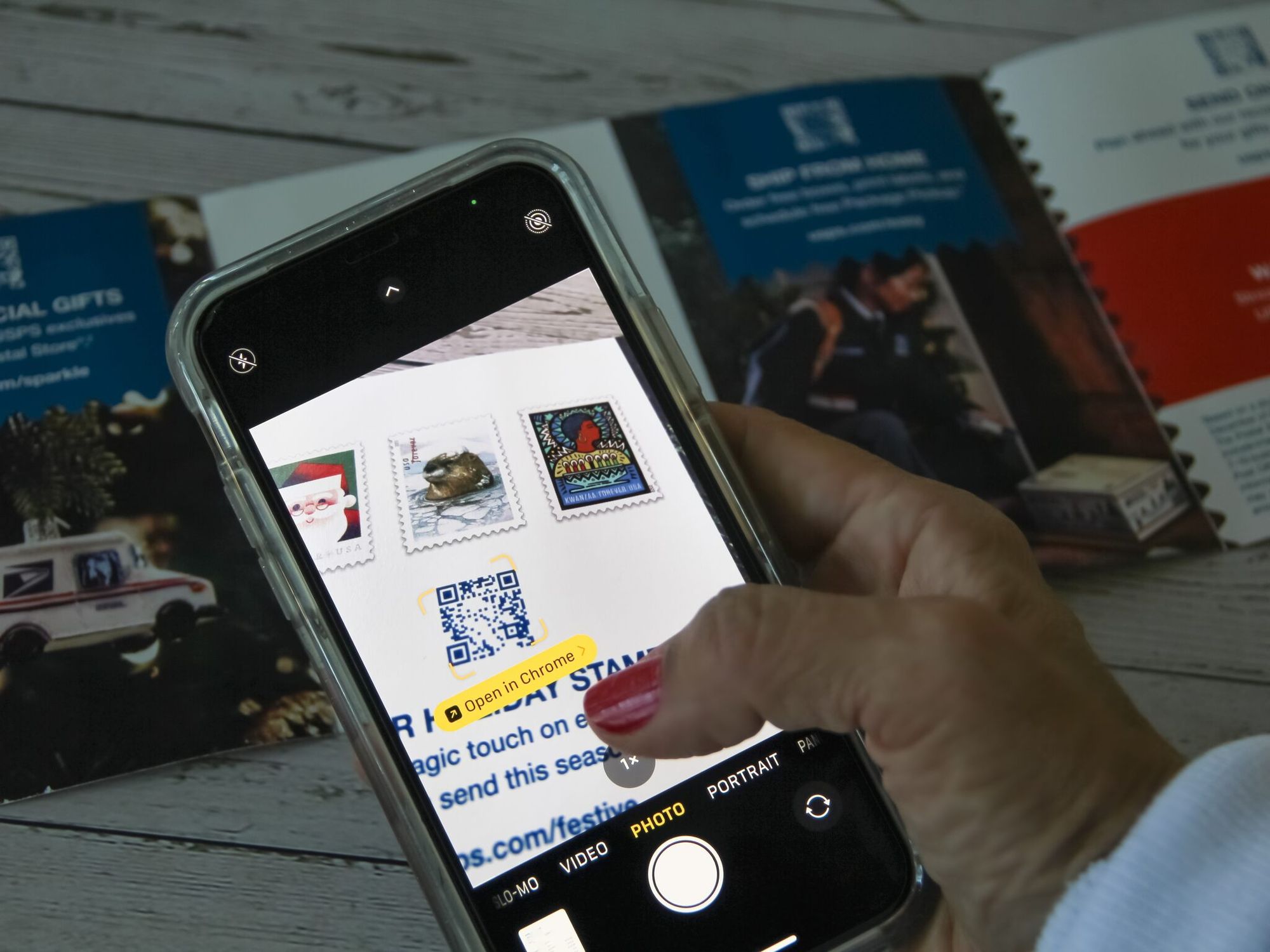
• Scan from 12 inches with an iPhone 12 or newer. Should resolve in under 2 seconds.
• Scan from 18 inches with the same phone. Should still resolve.
• Scan with an Android phone (Pixel or Samsung mid-range). Same distances.
• Scan with an older phone (iPhone X or earlier if you can find one). Older cameras need a bigger or higher-contrast code.
• Scan in three lighting conditions: outdoor daylight, indoor warm light, dim evening light.
• Confirm the redirect lands on the right page with the right UTM parameters.
• Confirm the scan logs in the QR dashboard.
You'll know the test passed when: all three phones scan at both distances in all three lighting conditions, the destination matches your spec, and the dashboard logs every test scan.
Watch out for:
• Skipping the older phone. 22% of US smartphone users still run a phone older than 4 years. If your code only scans on the newest hardware, you're leaving money in mailboxes.
• Testing on the digital proof only. A PDF on screen scans differently than a printed card. Always test the physical proof.
Pro tip: Keep a "ghost mailbox" — mail 5 to 10 cards to yourself, your colleagues, and a few friends across the country. By the time you see how the card looks fresh out of a mail bundle, you'll catch problems the press check missed: a wrinkle through the code, a coating issue, a barcode the USPS spray-printed over the bottom edge. We've moved CTA positioning twice based on what USPS scan lines did to bottom-edge codes.
Step 7: Track Scans and Re-Point the Destination Mid-Campaign
This is where the dynamic part of dynamic QR codes pays off. The cards are mailed, scans start logging, and you have data you couldn't get from any static print campaign.
What to track from day one:
• Total scans by day, week, and ZIP code (or city).
• Scan-to-conversion rate (scans / completed goal).
• Time-of-day pattern (commute? evening? weekend?).
• Device split (iOS vs Android).
• Landing-page bounce and session duration tied to the postcard UTM.
What to do with the data:
• Week 1: confirm scans are landing where you expected. Watch for delivery delays by ZIP.
• Week 2: if scan-to-conversion is below your threshold, edit the destination URL — try a shorter form, a stronger headline, a different offer.
• Week 3-4: lean into the ZIPs with the highest scan rate by adding follow-up touches (email, retargeting ads to that ZIP, second mailing).
You'll know it's working when: you've made at least one destination edit during the campaign window based on real scan data, and you can attribute downstream actions (form fills, calls, purchases) to the postcard UTM.
Watch out for:
• Set-and-forget. A campaign that runs untouched for 8 weeks wastes the dynamic advantage. Check the dashboard at least twice a week.
• Bot scans from print vendors or USPS sorting. Filter scans from your vendor's IP range and from the first 24 hours pre-mailing.
Pro tip: The best mid-campaign edit I've ever made was swapping a 5-field lead form for a "click to call" button after scans were strong but form completions stalled. Conversion went from 3% to 9% in 48 hours. The print never changed. The destination did. For more on tracking direct-mail engagement, see our QR code advertising guide.
Postcard QR Code Design Best Practices
The technical stuff above gets the code to work. The design stuff below gets the code scanned in the first place.
Size, Contrast, and Quiet Zone — the Non-Negotiables
Three rules every print vendor knows and half of them break under deadline pressure.
• Size: 0.8 to 1 inch on a 4x6 postcard. Scale up to 1.25 inch on a 6x9. Anything smaller fails on older phones.
• Contrast: Dark code on light background. Aim for at least 60% lightness difference. Black on white is safest. Brand colors only if you can hit 4.5:1 contrast ratio (the WCAG AA threshold).
• Quiet zone: Clear margin equal to 4 modules around all four sides of the code. This is the silent killer — designers shrink it to fit copy, scanners can't find the code boundary, scan rate craters.
Dynamic vs Static — Decide Before Designing
The decision changes how big the encoded URL can be and how editable the campaign is.
| Factor | Static QR | Dynamic QR |
|---|---|---|
| URL editable after print | No | Yes |
| Scan analytics | None (unless you UTM-tag and watch GA) | Built-in dashboard |
| Encoded URL length | Long (the full URL) | Short redirect URL |
| Code visual density | Higher (busier pattern) | Lower (cleaner look) |
| Cost | Often free | Subscription |
| Best for postcards | One-off, single-week campaigns | Anything mailed, multi-touch, A/B tested |
For direct mail, dynamic almost always wins. The cleaner visual alone justifies it — a dynamic code's short redirect URL means fewer modules, a less cluttered pattern, and higher contrast at any given size.
A/B Test on a Small Batch Before Scaling
This is the gap nobody talks about in product-vendor blogs. Print vendors push you toward a full run because that's how they bill. Don't let them.
Send 500-1,000 postcards as a pilot. Two variants if budget allows: variant A with the QR front-right and a discount CTA, variant B with the QR back-center and a curiosity CTA. Watch the dashboard for 7 days. Scale only the winner.
My ratio of pilot to scale on a typical client engagement is 1:20. Pilot 1,000 cards, scale to 20,000 if the numbers hold. The pilot costs $400-600 and saves you from a $10,000 mistake.
Postcard QR Code Use Cases by Industry
Same mechanic, very different applications. Here's how I've watched it play out across five industries.
Real Estate
The single best fit for postcard QR codes. Listings need fast visual proof, virtual tours, and a callback.
• Scenario: "Just listed" postcards mailed to the surrounding 5 ZIP codes.
• CTA: "Scan to walk the home (3D tour)."
• Track: Scan-to-tour-complete rate, and tour-complete-to-showing-request. A healthy benchmark from my campaigns: 4-7% scan rate, 60% of scanners finish the tour, 8-12% of tour-finishers request a showing.
See our QR codes for real estate guide and real estate announcement ideas for more campaign templates.
Retail and E-Commerce
Postcards work for store traffic, loyalty re-engagement, and abandoned-cart recovery via direct mail.
• Scenario: Loyalty members who haven't purchased in 90 days get a "we miss you" card.
• CTA: "Scan for $25 off — ends Sunday."
• Track: Code redemption rate at checkout (online and in-store), basket size of QR-attributed orders versus average.
Restaurants
Menus, reservations, loyalty enrollment — all good QR destinations.
• Scenario: Postcards mailed to a 1-mile radius around a new location.
• CTA: "Scan to reserve opening night — free entrée."
• Track: Reservations by week, no-show rate (it's higher on QR'd bookings than on phone bookings — staff them accordingly).
Nonprofits
Annual fund drives, event invites, volunteer recruiting.
• Scenario: End-of-year giving postcard to lapsed donors.
• CTA: "Scan to give in 30 seconds — every dollar matched."
• Track: Gift completion rate, average gift size, recurring-gift conversion. Add a Calendly link for major gift conversations — see our Calendly QR code guide.
Events
Conferences, workshops, product launches. Postcards still beat email for high-ticket B2B invites.
• Scenario: Save-the-date postcards to a curated list of 2,000 decision-makers.
• CTA: "Scan to claim your seat — 50 left."
• Track: Registration rate, registration-to-attendance rate, source ZIP for travel planning.
Professional Services
Lawyers, accountants, consultants, financial advisors — high-LTV B2B services where one postcard pays for itself with one client.
• Scenario: Quarterly newsletter postcards with a featured insight and a free consult offer.
• CTA: "Scan to book a 15-min review."
• Track: Booking rate, show-up rate, booking-to-engagement conversion. For specific tactics, see our QR codes for business consultants playbook.
USPS Informed Delivery Integration — the Move Most Brands Miss
USPS Informed Delivery emails a daily preview of incoming mail to roughly 60 million American addresses. If you don't time your QR scan window to that preview, you're leaving the biggest free direct-mail amplifier on the table.
Here's how to stack the two:
• Register your mailpiece through USPS Mailer Campaign Portal at least 7 days before the in-home week. You'll upload a representative image of the postcard and a clickable ride-along URL.
• Use the same QR destination URL as the ride-along link in the email preview. Same UTM. Same offer. The scanner who sees the email preview at 6 AM clicks through; the same scanner who finds the postcard at 5 PM scans through. Both end up in the same funnel.
• Time your offer urgency to the in-home window, not the mail date. If the postcard hits on Tuesday and the offer expires Friday, the Informed Delivery email Tuesday morning creates a 4-day urgency loop that doubles your effective response window.
• Match the email preview image to the postcard front. Mismatch confuses the recipient and tanks click-through.
I ran this for a SaaS client's enterprise outreach campaign in Q4 last year. The QR scan rate on Informed-Delivery-registered postcards came in 34% higher than the unregistered control. Same list, same creative, same week. The only difference was the email preview ran in parallel.
Household-Level Scan Attribution — True Direct-Mail ROI
The hardest problem in direct mail used to be attribution. You sent 10,000 cards, you got 800 conversions, but which mailbox produced which conversion? With dynamic QR codes and a personalized URL (PURL) layer, that ambiguity goes away.
How household-level attribution works on postcards:
• Unique QR per household: Each postcard gets a unique code that encodes a unique short URL (e.g., qr.yoursite.com/x9k4q1). The print vendor batch-generates them from your mailing list.
• Scan logs the address: When that code scans, your QR platform logs the scan event and your mailing-list database matches the unique code back to the household.
• Downstream actions attribute home: Every form fill, purchase, or call from that QR's session ties back to the original mailing address — not just "someone in the 90210 ZIP."
What this unlocks:
• True cost per acquisition by household. You can finally answer "did the McKenzie household at 442 Elm convert from the spring campaign or the summer one?"
• Suppression lists that actually work. Households that converted off the spring run can be dropped from the summer remailing — saving postage on people who are already customers.
• Lookalike modeling on real conversion data. Feed the household-level conversion data into your acquisition list provider to find more households like the ones that actually converted, not the ones that just lived nearby.
The catch: unique-per-household QR codes need a variable-data print run, which raises printing cost by roughly 15-30% depending on volume. For a campaign with a $500+ customer LTV, the attribution clarity pays for itself in two cycles. For a $20 LTV product, stick with a single shared code and accept ZIP-level attribution. Document verification campaigns are a similar story — see our QR codes for document verification piece for how unique codes per record handle that case.
Common Mistakes to Avoid With Postcard QR Codes
Every one of these I've seen kill a campaign that should have worked. None are exotic — they're the same mistakes the same teams make over and over.
• Static code when the destination might change. The most expensive mistake. Once the print is in the mail, a static URL is locked in. If the offer expires, the page 404s, or the brand rebrands the URL, every remaining scan goes to a dead end. Default to dynamic.
• No CTA next to the code. "Scan me" is not a reason. The reader needs a reward and a reason to act now. Pair every code with a 2-5 word CTA that names the reward.
• Code too small to scan reliably. Anything under 0.8 inch on a standard postcard fails on older phones. Designers often shrink it to fit copy — push back. Size is the floor, not the ceiling.
• Low contrast between code and background. Brand-color QR codes on brand-color backgrounds look beautiful and scan terribly. Test contrast at WCAG AA (4.5:1) minimum.
• No pre-print landing page test. A landing page that works on desktop and crashes on mobile is the most common silent killer. Always test the actual mobile experience on the actual postcard's redirect URL before the press run.
• No UTM parameters on the destination URL. Without UTMs, you can't separate postcard scans from any other QR scan source in analytics. Add them before generating the code — utm_source=postcard, utm_medium=direct-mail, utm_campaign=name.
• Ignoring the scan dashboard after launch. The dynamic code's value is in mid-campaign optimization. If nobody opens the dashboard, you're paying for a feature you're not using.
FAQ: Postcard QR Codes
How do QR codes work on postcards?
A QR code on a postcard encodes a URL inside a 2D barcode pattern. The recipient points their phone camera at the code, the camera app decodes the pattern, and the phone opens the encoded URL in a browser. Dynamic codes encode a short redirect URL — the actual destination lives on a server you control and can be edited after the postcard is already in the mail.
What are the benefits of adding QR codes to direct mail?
Three concrete benefits. First, measurement: every scan logs a timestamp, device, and approximate location, which is the closest thing direct mail has ever had to real-time analytics. Second, lift: Doceo reports campaigns with QR codes see roughly 9% higher response rates than static mail. Third, optionality: with a dynamic code, you can change the offer or landing page mid-campaign without reprinting a single postcard.
Why should we be careful in using QR codes?
Treat QR safety as a craft, not a fear. Three best practices: only use QR codes that point to a domain you own (so a scanner can verify the domain in the URL preview before opening), use HTTPS on every landing page (so the browser shows the lock icon), and never ask scanners to enter passwords or payment details on the page the QR opens to. If the destination needs sensitive info, send the scanner to your main domain and let them log in there. The safer your QR experience feels, the higher your scan-to-conversion rate climbs.
What's the right QR code size for a postcard?
0.8 to 1 inch (20 to 25mm) on a standard 4 by 6 postcard. Scale up to 1.25 inch on a 6 by 9. Anything smaller than 0.8 inch fails on older phones and in low light. Always include a quiet zone of 4 modules of clear white space around the code — that's typically another 0.1 to 0.15 inch on each side.
Static vs dynamic — which one for postcards?
Dynamic, almost every time. Static is fine for a single-week tabletop card where the destination won't change. For anything mailed, dynamic wins on three counts: you can edit the destination after print, every scan logs to a dashboard, and the encoded URL is shorter (which produces a cleaner, easier-to-scan code). The only reason to pick static is cost — free generators issue static codes — but for a campaign of any consequence, the dynamic subscription pays for itself the first time you change the destination.
Pick the QR Code That Earns Its Postage Stamp
Postcards aren't competing with email. They're competing with the trash bin. A dynamic QR code is what tips that decision in your favor — it gives the recipient a fast, mobile reason to act, gives you the data to prove it worked, and gives you a destination URL you can fix in 30 seconds if the page is broken.
If you're shipping a campaign this quarter, the smallest version of this guide that still works is: one goal, one mobile landing page, one dynamic code, one CTA next to it, one test before printing. That's the floor. Everything above adds upside — Informed Delivery for amplification, household-level attribution for ROI clarity, A/B pilots for risk control.
Generate your first dynamic postcard code on QR Code Dynamic, run a 500-piece pilot next week, and watch what happens to your direct-mail dashboard. If you want more campaign templates, see our QR code advertising guide and the complete guide to printing QR codes.