


Teachers use QR codes in the classroom to share resources, run attendance, build interactive bulletin boards, and replace paper handouts with scan-to-open digital activities. Most setups take under five minutes per code, work with any phone camera, and turn small tasks into measurable engagement wins for K-12 and higher-ed teachers in 2026.
Why QR Codes in the Classroom Matter in 2026
I've spent the last three years writing about dynamic QR codes, and the most common question I get from teachers is the same one I asked when I first saw a hallway plant labeled with a scannable square: does this actually move the needle on learning, or is it just a gimmick?
The honest answer: it depends entirely on what the code points to. A QR code that opens a 90-second video about photosynthesis right next to a real plant is different from one that opens a worksheet PDF. The data backs up the engagement side of the equation, though.
According to a pilot study from Research Open World, 90.7% of first-semester and 76.9% of third-semester students said access to a classroom QR code let them ask more questions during lectures. The same study reported a mean satisfaction score of 8.63 out of 10 from first-semester students who used QR codes during class.
Adoption signals are just as strong. A PMC review citing Bellot et al. found that 83% of study participants agreed creating and scanning a QR code is easy, removing one of the biggest barriers teachers worry about when they introduce new tech.
What's changed in 2026: every student phone has a native QR scanner built into the camera. No app downloads, no tutorials, no excuses. That single shift is what makes the 21 ideas below realistic to ship this week, not next semester.
What You Need Before You Start
You don't need a school subscription or IT approval to test most of these ideas. Here's the minimum kit:
A dynamic QR generator. Static codes are fine for a one-off field trip handout, but if you're printing codes that need to live on a wall for a school year, use dynamic codes. The destination URL is editable after printing, so a broken link or moved Google Doc doesn't kill your activity. I use QR Code Dynamic because the analytics view shows scan counts per code, which is how I prove engagement to skeptical principals.
One device per student or pair. Phones, tablets, or borrowed Chromebooks all work. For K-3 classrooms, pair students with a shared iPad to avoid camera-permission headaches.
A printer or display screen. Codes can live on paper, projected slides, or a hallway TV. Minimum print size is 2cm by 2cm for close scans, 5cm by 5cm if students will scan from their desks, and 15cm by 15cm for back-of-room visibility.
Mobile-friendly destinations. Every URL you encode has to render cleanly on a phone. A 47-page PDF that takes 30 seconds to load is worse than no code at all.
1. Scan-to-Join Attendance
Replace the morning paper roll with a single QR code projected on the board. Students scan, type their name once, and the spreadsheet timestamps the entry automatically. I tracked this with a fifth-grade teacher in Austin last semester, and it cut her morning admin from seven minutes to ninety seconds.
How to set it up:
- Create a Google Form with one field (student name) and turn on "Collect email addresses" if your school uses Google Workspace
- Copy the form URL and paste it into a dynamic QR generator
- Print or project the code, set a 5-minute scan window at the start of class
- Open the linked Google Sheet for live attendance with timestamps
The dynamic version matters here because if you switch from Google Forms to Microsoft Forms mid-year, you just update the destination URL behind the same printed code. For deeper setup steps, our attendance tracking guide walks through edge cases like make-up scans and tardiness flagging.
2. Interactive Bulletin Boards
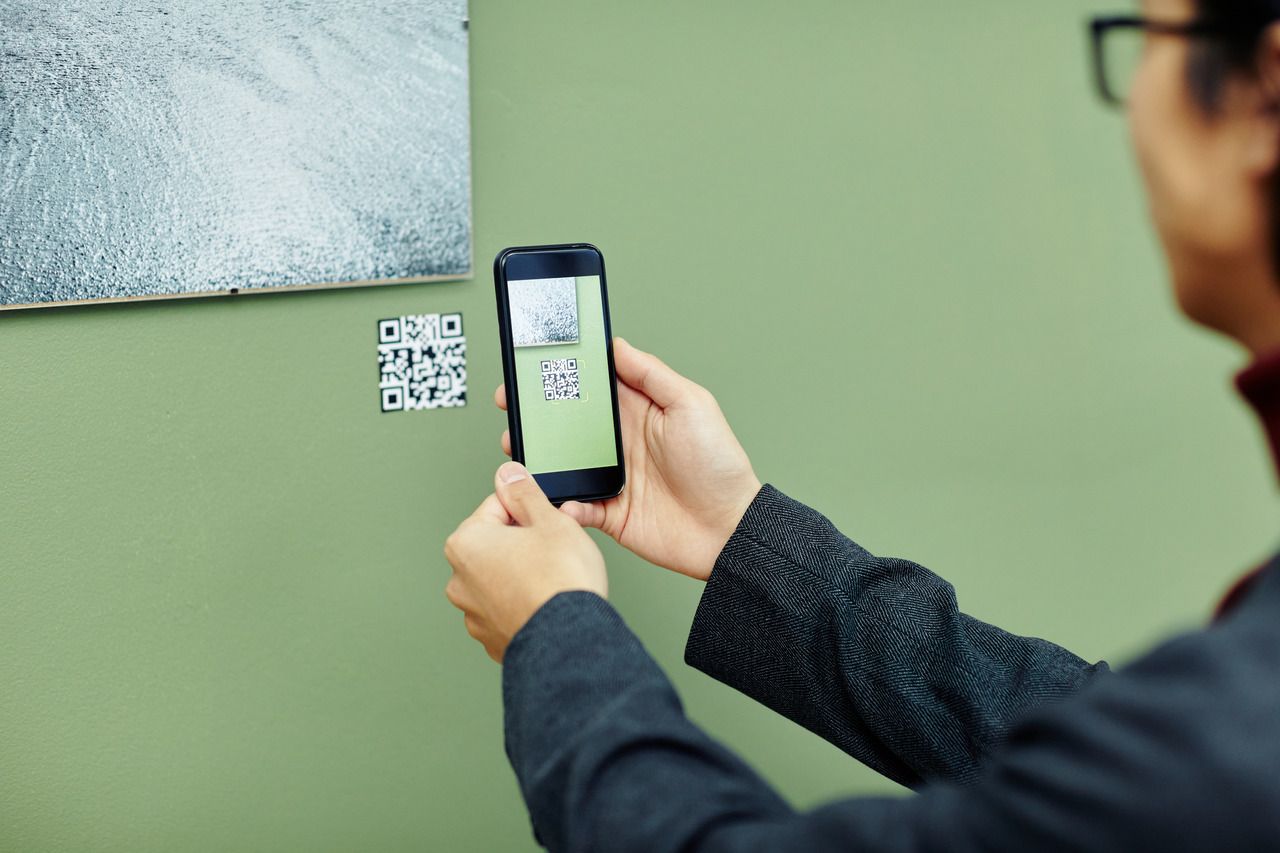
The static bulletin board is one of the most underused surfaces in any classroom. Pin a topic in the center (the water cycle, the Civil Rights movement, a poem), surround it with related QR codes, and let students scan whichever pulls them in. Each code can link to a TED-Ed video, a primary source, a podcast clip, or a quiz.
I've seen this work best in fourth-through-eighth grade. Younger students need shorter destinations (60-90 second videos), while middle schoolers will sit with a 5-minute interactive simulation. The board becomes self-directed learning, not just decoration.
NIU's higher-ed faculty reported using exactly this setup during open house events: parents scanned codes on hallway boards to view their kids' digital work without crowding around a single laptop. It's a small thing, but the participation lift was visible inside one semester.
3. Scavenger Hunts and Web Quests
Place codes around the room, the hallway, or even outside on the playground. Each code reveals the next clue, a question to answer, or a piece of a puzzle. The kids who hate sitting still are usually the first ones to finish.
Variations that work:
- Math review hunt: Each code shows a problem, the answer unlocks the location of the next code
- Vocabulary hunt: Codes reveal word definitions, students match them to a list back at their desks
- History quest: Each code is a primary source (photo, letter, map), students piece together the timeline
For full templates and ready-to-print clue cards, our QR code scavenger hunt guide has six variations across grade levels.

4. 21st-Century Student Resumes and Portfolios
This one's a content gap most classroom-QR articles still miss. Have high school students build a digital portfolio (Google Site, Notion page, or simple PDF) showcasing essays, projects, video presentations, or volunteer work. Encode the portfolio URL on a small QR sticker printed on the back of their paper resume.
Now the resume becomes interactive. A recruiter scans the code and sees a 90-second video pitch, a writing sample, or a coding project, not just a list of GPAs. I've seen this used in dual-enrollment programs and career-tech high schools, and it consistently moves students from "another resume" to "let's bring her in for an interview."
Pair this with a LinkedIn QR code on the same sticker for a one-page resume that punches above its weight.
5. Exit Tickets and Self-Check Answer Keys
Print a single QR code at the bottom of a worksheet. Students complete the worksheet, scan the code, and see the answer key. Self-checking, no teacher bottleneck, no copying because answers appear one at a time as students scroll.
For exit tickets, swap the answer key for a 3-question Google Form. Students scan on their way out, you read the responses during prep period, and tomorrow's warm-up addresses the most common misconception. A high school chemistry teacher I work with says this cut her re-teaching time by about 40% because she's no longer guessing what students missed.
6. Bathroom Passes and Hallway Permission Codes
Replace plastic passes with a printed QR badge that links to a Google Form. Student scans, types their name and destination, and the timestamp logs automatically. Teacher gets a notification, admin can pull the log if anyone asks where a student was during a fire drill.
This sounds like overkill until you remember how often plastic passes vanish, get coughed on, or end up in the laundry. The QR version is laminated, lasts the school year, and the data trail solves disputes before they become problems.
7. Quick Access to Online Resources
The simplest use case, still one of the most powerful. Instead of writing a 47-character URL on the whiteboard ("students, that's a capital R, not lowercase, two L's, hyphen between..."), print a code on the handout or project it on the screen.
For Google Drive folders shared across a unit, our Google Drive QR code walkthrough covers the sharing settings that actually let students open the files (the default is more restrictive than most teachers realize).
8. Virtual Field Trips and Museum Tours
You can't take 30 fifth-graders to the Louvre. You can give each one a QR code that opens a different gallery's virtual tour, then have them compare notes back in class. The Smithsonian, the Met, the British Museum, the Vatican Museums, the Anne Frank House — all of them have polished web tours that work on a phone.
For museum-style displays inside the school (think science fair, history projects), our QR codes for museums guide shows how to set up audio tours and exhibit cards. Same techniques work in a classroom corner that rotates exhibits weekly.
9. Interactive Worksheets with Embedded Hints
Print a worksheet, but at the bottom of each problem, add a small QR code. Scanning reveals a hint, a worked example, or a 30-second explainer video — not the answer, just enough to unstick a struggling student without you walking across the room.
This works because it gives students a graduated help system. Strong students don't need to scan. Mid-tier students scan once or twice. Struggling students get scaffolded support without the social cost of raising a hand. The fairness gain alone is worth the print job.
10. Video Reference for Higher Ed Lectures
College professors at NIU and other institutions print QR codes on lecture slides that link directly to the specific timestamp of a recorded lecture covering that topic. A student reviewing for an exam scans the code, lands on minute 23 of last Tuesday's video, and gets the explanation in context — no scrubbing through a 75-minute recording.
To do this on YouTube, append ?t=1380s to the video URL (1380 = 23 minutes in seconds). Encode that timestamped URL. Our video to QR code guide covers YouTube and Google Drive setups, including the timestamp trick.
11. Audiobook and Read-Along Library
Build a classroom library cart where every paperback has a QR sticker on the spine. The sticker opens the audiobook version on Spotify, Audible, or Libby. Reluctant readers get the same text as a podcast. ELL students get pronunciation modeling. Students with reading disabilities get accommodation without singling out.
For audiobook setup, our audiobook QR code walkthrough covers the licensing and platform options that actually work in K-12 (some platforms are stricter than others about classroom use).
12. Open House and Parent-Teacher Conferences
During open house, parents arrive in waves and you have 90 seconds per family before the next group walks in. Print a QR code on each student's desk that links to a 3-minute video the student recorded explaining their best project of the term. The parent scans, watches at their own pace, and you talk with the family that needs your attention right now.
For parent-teacher conferences, swap the project video for a portfolio link showing the student's growth across all subjects. Parents see the data without you reading every grade aloud, and the conversation shifts from "here are the numbers" to "here's what we do next."
13. Peer Review and Classroom Critique
Students record a short video walkthrough of their project (Flip, Loom, or just their phone camera). They generate a QR code linking to the video and tape it to the front of the physical project. During gallery walks, classmates scan, watch, and leave comments in a shared Padlet or Google Doc.
The critique becomes asynchronous. Quiet students who hate speaking up in group settings finally get heard. Shy artists get feedback without standing next to their work apologizing for it. You collect the Padlet at the end of the period and have a written critique record per student.
14. Eco-Projects and Schoolyard Labels
Stick laminated QR codes on plants in the schoolyard, on the school garden, even on classroom pets' enclosures. Scanning reveals the species name, habitat, care notes, and a 30-second video of it in the wild. Science class becomes a self-paced nature walk.
This scales beyond plants. Label the recycling bins with codes that show what actually happens to the contents (data students rarely see). Label the water fountains with codes that explain the school's water source. The codes turn invisible infrastructure into a curriculum.
15. Book Reviews and Library Recommendations
After a student finishes a book, they record a 60-second review on their phone. Generate a QR code for the video, stick it to the inside cover. The next student deciding whether to check out that book scans the code and hears a peer's take, not a publisher's blurb.
Over a school year, the library builds up a peer-recommendation database that's more honest than any algorithm. Students follow each other's reviews the way adults follow Goodreads. Reading culture spreads sideways, not just top-down from the teacher.
16. Quiz Stations and Formative Assessment
Set up four to six stations around the room, each with a QR code linking to a 3-question quiz on a different subtopic. Groups rotate every 8 minutes. Scores feed into a single Google Sheet so you can see, in real time, which group is struggling on which concept.
The pacing is what makes this work. Stations beat whole-class instruction because no one is bored and no one is lost — everyone is at their group's current level. The QR codes remove the friction of getting to each station's quiz, which is usually what kills station rotations.
17. Homework Help Videos
Print a QR code on the homework sheet that opens a 2-minute video of you working through a similar problem. Students who get stuck at home scan the code and watch you explain it, instead of waiting until next class or giving up.
The video doesn't have to be polished. Phone camera, whiteboard, one take. The parent emails asking for help drop noticeably — I've heard 50-70% reductions from middle school math teachers — because the parent and the student now have the same resource.
18. Discussion Boards and Async Debate
A QR code on the wall opens a class Padlet or a private subreddit-style discussion board. Students post questions outside class hours, respond to each other, and the conversation builds across days instead of dying when the bell rings.
This works especially well for English class novel discussions and history class current-events debates. The introverts who never spoke up in person turn into the most active posters. The extroverts who dominated class discussions have to actually write down their arguments. Both groups get better.
19. Zoom and Live Session Quick-Join
For hybrid classrooms or guest speakers, print a QR code that opens the Zoom meeting directly. No copy-paste, no "what was the password again," no five-minute startup lag. The code stays on the wall all term, and you swap the destination link before each session if needed.
Our QR code for Zoom meeting guide covers the join-link format and how to avoid the "this meeting hasn't started yet" error that plagues teacher demos.
20. Community Service and Drive Promotions
For a canned-food drive, a winter coat collection, or a fundraising 5K, print posters with a QR code that opens the sign-up sheet, donation page, or list of needed items. Parents and community members at sports games or school events can scan from across the parking lot and contribute without needing to remember a website later.
The scan-to-act gap is where most school fundraisers leak donors. Closing that gap with a single code routinely doubles signup rates compared to "visit our website" CTAs.
21. Augmented Reality and Curriculum Connections
QR codes paired with apps like Merge Cube, Quiver, or Google's AR objects let students point a phone at a code and see a beating heart, a dissected frog, the rings of Saturn, or a Civil War soldier in three dimensions. The code launches the AR experience without making students hunt through an app store.
For 2026, the AR-QR pairing is the closest you'll get to expensive VR headsets at zero cost. The novelty alone holds attention; the depth of the content keeps it.
Safety Tips for QR Codes in Education
The FBI warned about malicious QR codes in 2022, and the threat hasn't gone away. "Quishing" — phishing via QR — works because users can't see the destination URL before they scan. In a classroom, the risk is lower (you control the codes), but you still need to teach students how to scan safely.
Rules I drill with every teacher I work with:
- Generate, don't scrape: Only use codes you or a trusted source created. Never have students scan a code printed on a flyer of unknown origin
- Preview the URL before tapping: Most modern phone cameras show the URL in a preview banner before opening. Teach students to read it. If the URL looks weird or doesn't match the context, don't tap
- Avoid scanning codes that ask for logins on landing: A legit classroom code goes to a Google Doc, a video, or a form — not a "log in to continue" page that mimics a real service
- Stick to dynamic codes from a known generator: A dynamic code from a reputable platform means you can see the destination URL in the dashboard and disable the code if it's ever tampered with
- Don't ask for personal info beyond what the activity needs: If the destination is a Google Form, only collect what you'd write in a paper handout — first name, period, answer. Skip emails, phone numbers, or addresses unless legally required for attendance
The 90-second talk you give about QR safety at the start of the year sticks for life. Students who learn this in fourth grade don't fall for quishing scams as adults.
Best Practices for Classroom QR Codes That Actually Get Scanned
Generating a code is the easy part. Getting students to scan it, and getting useful data back, is where most teachers stall out. Three rules that compound over a school year:
Use dynamic codes, not static ones. Static codes embed the URL permanently. If your Google Doc moves, the code is dead. Dynamic codes let you edit the destination after printing, so a single laminated code on the wall can be reused every term. The cost difference is negligible; the long-run convenience is significant.
Size for the worst-case scan distance. A code on a worksheet at arm's length needs to be at least 2cm square. A code on a hallway bulletin board scanned from three steps back needs 10cm. A code on an open-house poster across the room needs 30cm. Test from the back of your classroom before you print 30 copies.
A/B test which codes work. Dynamic generators show scan counts per code. After two weeks of running a bulletin board, look at which codes got 80% of the scans and which got 5%. The 5% codes are either in bad positions, point to boring content, or have unclear labels. Move them, replace the destinations, or kill them. Treat your classroom QR strategy like a small marketing experiment, because that's what it is.
If you're new to dynamic codes specifically, our guide to QR code types breaks down which format fits which classroom use case (URL, vCard, WiFi, plain text, and so on).
How to Create Your First Classroom QR Code in Under 5 Minutes
The setup is straightforward once you've done it once. Here's the workflow I teach in PD sessions:
- Pick the destination first. Don't make the code, then look for a URL. Decide what the student will see after scanning (a Google Doc, a YouTube video, a Padlet, a quiz). Make sure it's mobile-friendly and accessible to everyone in the class (sharing settings, not just the link)
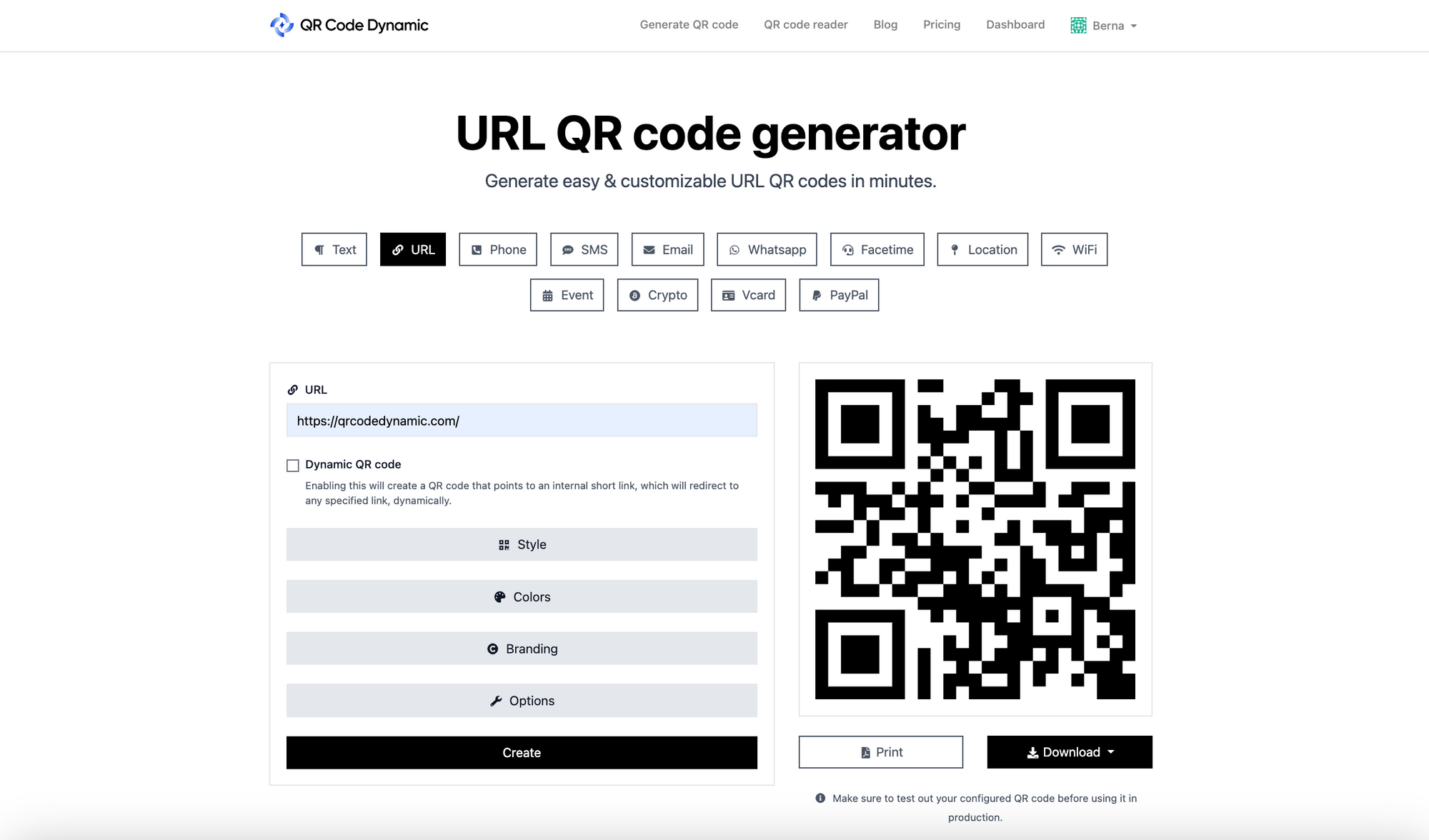
- Open a QR generator and pick "URL". Paste your destination link. For a one-time use, static is fine. For anything you'll print and reuse, switch to dynamic
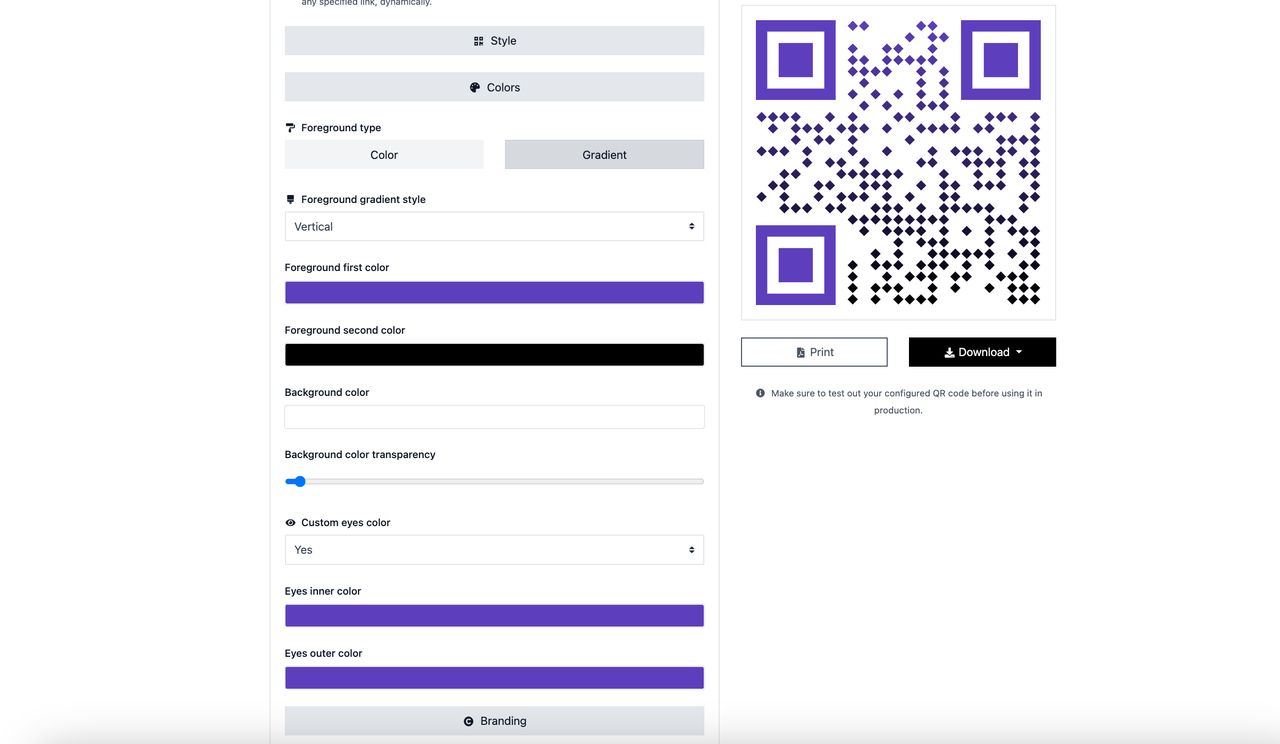
- Customize the look. Add your school colors or a small logo in the center if you want students to recognize official codes versus random ones. Keep contrast high — dark code on light background, never the reverse
- Download as PNG at 300 DPI for print, SVG for projection. A blurry low-DPI code is unscannable from more than a foot away
- Test before you print. Open your phone camera, point at the screen, confirm it opens what you expect. Do this every time — broken codes destroy trust faster than no codes at all
Pick the Classroom QR Use Case That Saves You the Most Time This Week
You don't need to ship all 21 ideas. Pick one. The teachers I've watched succeed with classroom QR codes started with the single use case that solved their most annoying recurring problem: paper attendance, students typing long URLs wrong, parents missing field trip permission slips, or kids needing hints on homework at 9pm.
If you're starting from zero, my top three picks for week-one rollouts: scan-to-join attendance (#1) because the time savings compound every single morning, exit tickets (#5) because the data changes your next lesson, and homework help videos (#17) because parents will notice within a week and tell other parents.
Generate your first dynamic code with QR Code Dynamic, point it at a Google Form, project it on Monday morning, and watch what happens. The leap from "teachers should try QR codes" to "I'm running half my classroom through codes" usually takes about three weeks once the first one works.
Frequently Asked Questions
How can QR codes be used in the classroom?
QR codes can run attendance, deliver hints on worksheets, open virtual field trips, host student portfolios, gather exit-ticket feedback, and link bulletin boards to videos. They work as bridges between paper and digital, removing the URL-typing friction that kills most classroom tech experiments. K-12 and higher-ed teachers both use them, but the activities differ — elementary leans on scavenger hunts and read-alongs, while college instructors use them for lecture-timestamp references and assignment submissions.
How do teachers use QR codes in the classroom?
Teachers use QR codes for attendance check-in, exit tickets, bulletin-board enrichment, scavenger hunts, audiobook libraries, peer reviews, homework help videos, virtual field trips, parent communication, and digital portfolios. The most common entry-point is replacing a long URL on the whiteboard with a scannable code — once that habit clicks, teachers expand into self-check answer keys, station rotations, and AR-paired activities. The pattern that holds across grade levels: codes work best when they remove friction, not when they add novelty.
What are the best QR code ideas for education 2026?
The strongest 2026 ideas blend QR codes with capabilities that didn't exist five years ago: native phone scanners (no apps), AR objects via Google Search, AI-generated lesson hints behind the code, and dynamic codes with built-in scan analytics. Specific high-impact uses include 21st-century student resumes linking to portfolio sites, lecture-timestamp codes on higher-ed slides, AI-powered self-check answer keys, and hallway bulletin boards updated weekly through dynamic destinations. Start with whichever idea solves your most annoying daily admin task — that's the one that'll stick.